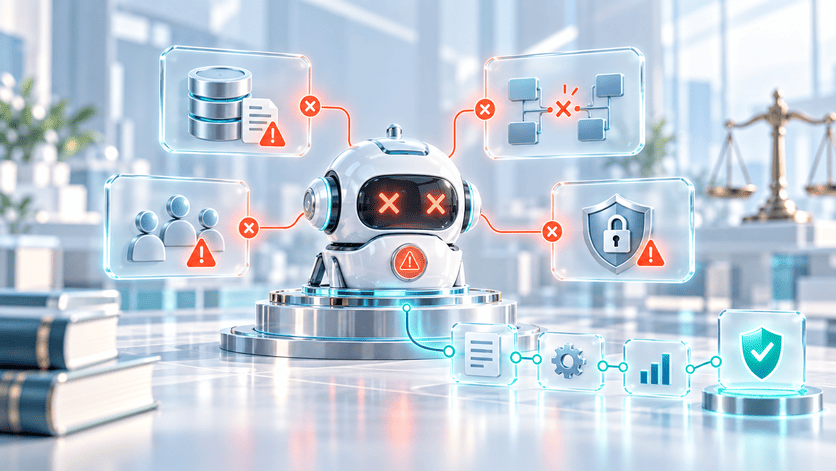
An AI transformation strategy becomes useful when leadership stops asking where to add AI and starts asking which workflows are actually worth automating.
That distinction matters, as AI adoption is already high, but measurable business impact remains uneven. McKinsey reports that 88% of organizations use AI in at least one business function, yet only 39% report measurable EBIT impact at the enterprise level. The problem is not a lack of interest in AI. The problem usually appears when automation meets the real operating model: unclear processes, scattered data, and no clear owner for the final decision.
CEOs and CTOs need to understand that if the workflow is already messy, AI will not make it clean. It can move the same confusion faster across more systems, teams, and customer touchpoints.
A serious AI Transformation Strategy starts before implementation. It identifies the process worth automating and defines the architecture, ownership, and controls needed to maintain automation over time.
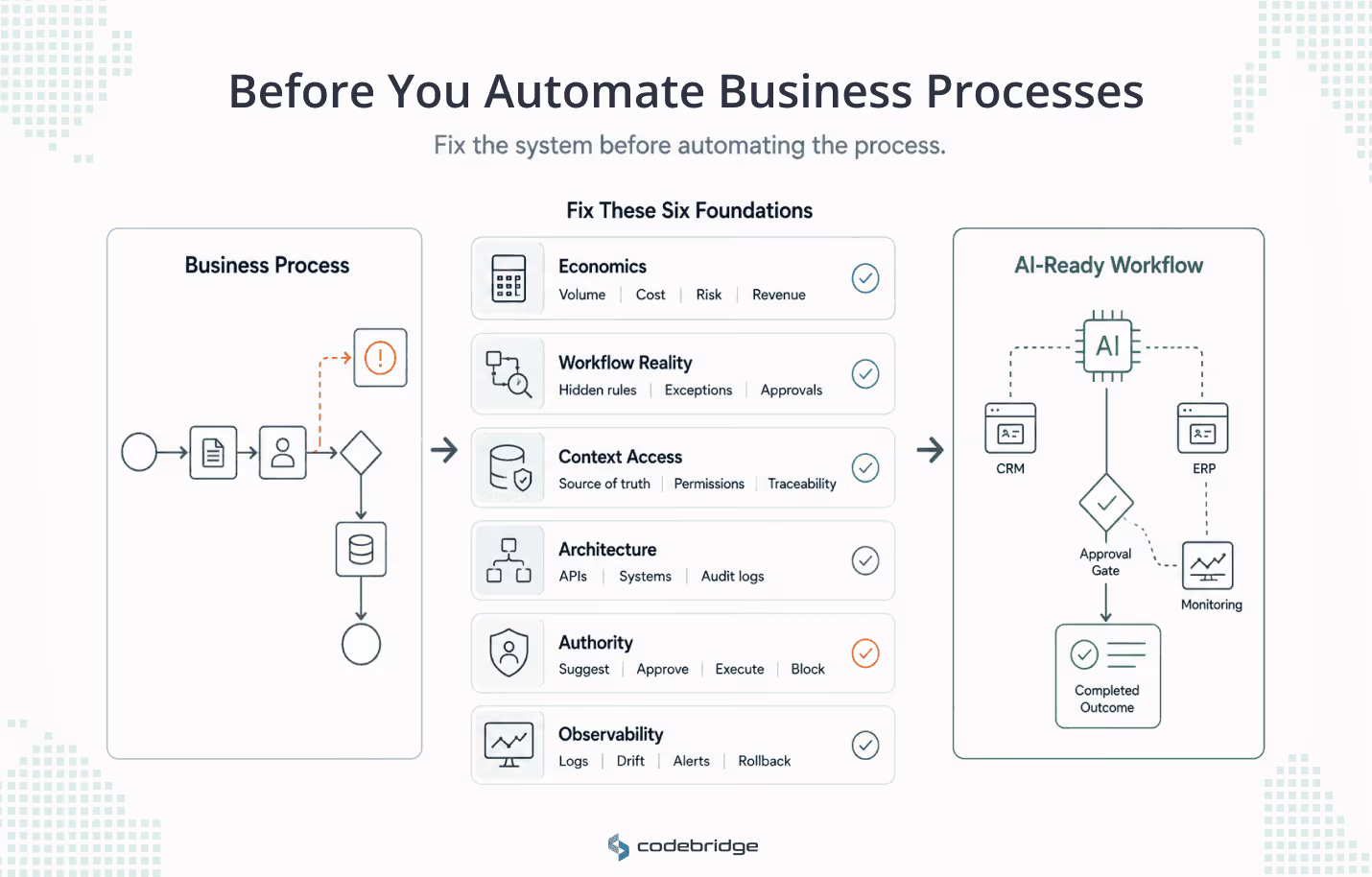
In this article, we will look at what companies should fix before automating business processes with AI: business baseline, workflow reality, decision-grade data, system integration, authority boundaries, and observability.
Why the AI Transformation Strategy Becomes Too Abstract
Many AI transformation strategies sound serious until someone asks what exactly will change on Monday morning.
The company very often wants to “improve productivity,” “reduce manual work,” “modernize customer experience,” or “use AI agents.” These goals are not wrong, but they are not specific enough for a team to build, measure, or own.
That is where AI strategy often becomes expensive noise. Leadership approves a portfolio of ideas, teams launch disconnected pilots, and nobody can clearly explain which process should improve, what it costs today, or what business result should change after automation.
BCG’s research points to this problem, reporting that leading companies focus on fewer AI initiatives, prioritizing an average of 3.5 use cases compared with 6.1 for other companies. They also expect 2.1 times greater ROI from their AI initiatives.
The lesson for businesses here is not to do less AI. The lesson is to stop spreading attention across use cases that are not tied to a clear workflow and a measurable business outcome.
A strategy becomes buildable when it answers operational questions:
- Which exact process are we changing?
- What business metric should improve?
- What does the process cost today in time, delays, errors, or missed revenue?
- Which systems and data sources are involved?
- Who owns the final result?
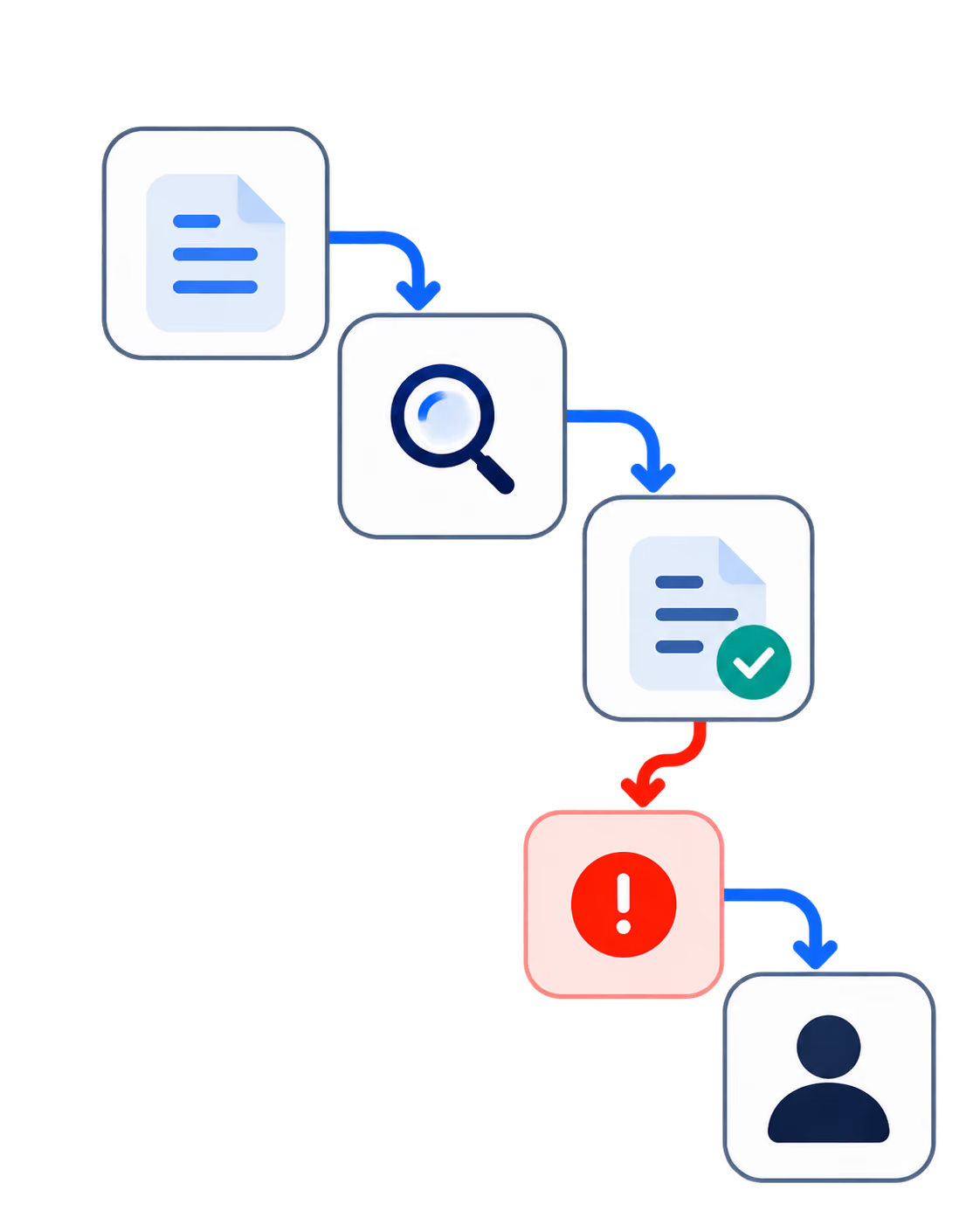
- What happens when the automation produces an uncertain or incorrect output?
This is exactly where AI transformation moves from ambition to process architecture. Without that level of detail, companies can spend months proving that AI is interesting without proving that it improves the business.
Fix 1: Business Baseline and Automation Economics
The first fix in an AI Transformation Strategy is economical.
Before a company prepares data or discusses agents, leadership has to prove that the process is worth automating at all. Some workflows are manual but too small to justify the investment. Some are slow because they require real human judgment. Some are annoying, but they do not affect revenue, cost, risk, or customer experience enough to become a serious automation priority.
After running dozens of AI projects in recent years, we've found that automation actually delivers ROI when these conditions hold:
- High volume, because repeated workflows make the fixed cost of implementation easier to justify.
- Visible time cost, because human hours per cycle show where capacity can be released.
- Clear decision logic, because automation is more realistic when the rules, inputs, and outcomes can be described.
- Expensive delays, because slow decisions can affect revenue, service speed, or customer satisfaction.
- Meaningful error cost, because mistakes in compliance, billing, customer support, reporting, or clinical workflows can be more expensive than the labor itself.
- Measurable business impact, because AI automation should improve something the company already cares about.
Leaders should also establish a baseline for every candidate process before automation begins to avoid expensive activity without business proof.
This baseline matters because enthusiasm often drives the wrong sequence. Teams go after the most visible workflow, the most irritating manual task, or the problem that sounds most impressive in a presentation. But that does not always produce the best return.
Monthly reporting is a good example. Automating report summaries may sound useful. However, if the report is read by three people, makes no decision, and exists mostly because it has always existed, AI only makes an irrelevant ritual faster.
The better candidate is the workflow where delay or manual effort clearly affects the business. Once that economic case is visible, the next question is harder: Does the company understand how the workflow actually behaves outside the clean process diagram?
Fix 2: Workflow Reality and Exception Load
This is where many AI automation plans become weaker. The process looks simple in a diagram, but the real work happens through exceptions, workarounds, manual fixes, undocumented approvals, and people who know which rules can be bent without breaking the business.
The official workflow is usually the clean version. The real workflow is what employees actually do when the customer is unusual, the data is missing, the system does not sync, the approval owner is unavailable, or the standard path creates a bad outcome.
A workflow is not ready for AI automation if:
- Different teams describe the same process differently.
- Exceptions are frequent but undocumented.
- Approvals depend on personal judgment or “who you ask”.
- Teams rely on spreadsheets, Slack, or email to bridge gaps between systems.
- Senior employees act as unofficial routers for unclear cases.
- No one can say which exceptions should be automated and which should escalate.
Customer onboarding is a good example. On paper, a SaaS company may have a clean five-step process: collect customer information, configure the account, send onboarding materials, monitor adoption, and alert customer success when usage is low.
In reality, some integrations may require legal approval. Billing status may change feature access. Support tickets may reveal onboarding risk before the usage dashboard does. Customer success managers may have manual workarounds that never appear in the documentation.
If AI is designed around the clean diagram, it will miss the work that actually protects the customer experience. That is why workflow reality matters before data, models, or agents enter the discussion.
Fix 3: Decision-Grade Data and Context Access
Once the real workflow is visible, the next question is whether AI can access the context required to support decisions inside that workflow. And this is where “data readiness” becomes too broad as a concept. Because AI automation does not only need more data, it needs the right context, from the right source, at the right moment in the process.
Decision-grade data usually requires several conditions:
- Reliable source systems, so the AI is not reasoning from outdated or duplicated records.
- Clear data ownership, so teams know who is responsible when definitions or records conflict.
- Consistent definitions, especially for metrics like revenue, churn, qualified lead, active user, claim status, or patient priority.
- Current structured and unstructured context, including CRM fields, support tickets, product usage, documents, emails, transcripts, or operational notes.
- Permissioned access, so the AI can retrieve only the data it is allowed to use.
- Source traceability, so users can see where an output came from and decide whether to trust it.
This is important because generic AI tools do not automatically understand how a company works. Deloitte reports that 85% of companies expect to customize AI agents to fit the unique needs of their business. This number shows that AI agents are not usually dropped into a company as finished products. They have to be adapted to the company’s workflows, data, rules, and operating context.
Business reporting is a simple example. AI can summarize numbers easily, but the harder question is whether the numbers mean the same thing across the company.
If CRM revenue differs from finance revenue, marketing attribution is incomplete, product usage data arrives late, and regional teams classify pipeline differently, AI may produce a fluent summary of a reality nobody fully trusts.
But decision-grade context is still only half of the problem. Even trusted data does not create automation if the AI cannot use it inside the systems where work already happens.
Fix 4: System Integration and Execution Architecture
AI automation creates business value when it can operate inside the workflow, not beside it.
If AI generates an output that an employee must manually copy into a CRM, billing platform, EHR, LMS, support tool, or internal dashboard, the company has added another handoff.
That distinction is crucial because many companies confuse useful AI assistance with workflow automation. An assistant can help someone write, search, summarize, or analyze. Automation changes how work moves through the system. A simple way to separate the levels:
For Codebridge, this is where AI transformation connects directly to architecture-first software development. The model is only one component. The more difficult work is connecting automation to business systems without creating fragile dependencies, security gaps, or manual workarounds.
Fix 5: Authority Model and Risk Boundaries
Now, when AI can access business context and operate inside company systems, the next question is authority. What can it execute? What should it escalate? And what should it never touch?
Companies on this stage use phrases like “human-in-the-loop,” but do not define what the human is actually responsible for. Reviewing a draft, approving a payment, overriding a recommendation, and owning the final business outcome are very different responsibilities.
From the AI projects we've worked on, we've landed on a simple authority model that separates AI involvement into five levels:
McKinsey reports that 51% of organizations using AI have seen at least one negative consequence, and nearly one-third cite inaccuracy. Deloitte also reports that only one in five companies has a mature governance model for autonomous agents. Those numbers are a reminder that authority design is not legal decoration. It is part of the operating model.
In regulated sectors such as HealthTech, FinTech, LegalTech, and compliance-heavy SaaS, AI automation cannot be separated from user roles, auditability, and escalation paths. The more responsibility AI receives, the more explicit the boundaries need to be.
But authority alone is not enough. Once AI has permission to act, the company also needs a way to inspect what happened.
Fix 6: Observability, Recovery, and Continuous Improvement
If AI can recommend, prepare, execute, or escalate work, the company needs to see what it did, which data it used, which tools it called, and whether the process improved.
The problem is that some organizations with whom we worked planned the automation but neglected the inspection layer. That is dangerous because AI workflows are not maintained only by checking the final output. They need visibility into the path that produced the output.
So in those cases, we proposed adding the layers they had skipped. A production-ready AI workflow, in our experience, includes:
- Input and output logs, so teams can trace what the AI received and produced.
- Tool-call records, so the company can audit how the system interacted with CRM, billing, EHR, support, product, or internal systems.
- Approval and escalation history, so teams know when humans intervened and why.
- Correction history, so repeated human edits reveal weak prompts, bad rules, missing context, or broken workflow assumptions.
- Drift signals, so teams can detect when data patterns, user behavior, model behavior, or retrieval quality no longer match reality.
- Rollback logic, so faulty workflow changes can be reversed without breaking the process.
Without that layer, AI can make the process look faster while making the company less confident in its own numbers.
Observability also closes the loop with every previous fix. It shows whether the business baseline improved, whether integrations behaved correctly, and whether authority boundaries were respected.
That is why AI transformation eventually becomes part of production engineering. The work does not end when automation starts running. It continues through monitoring, review, correction, rollback, and improvement.
The AI Transformation Readiness Framework
We understand that a useful AI Transformation Strategy should produce a decision, not just a discussion.
Once leadership has identified a possible workflow for automation, the next step is to test whether that process is ready enough to become a system. This does not require a six-month consulting project. It does require honest answers across six areas: business value, workflow reality, data context, integration architecture, authority boundaries, and observability.
The simplest way to use the framework is to score one workflow from 0 to 2 in each area:
- 0 = not ready
- 1 = partially ready
- 2 = ready enough to test
The score might not be perfect, but the main goal is to expose where the project is fragile before the company spends serious money building around the wrong assumptions.
How to interpret the score
This scoring is not meant to replace technical discovery. It gives executives a first filter.
A workflow with a high score is not guaranteed to succeed, but it is much less likely to waste budget on obvious problems. A workflow with a low score may still be important, but the next step is redesign, data cleanup, ownership clarification, or integration planning, not immediate AI implementation.
The most useful result is the disagreement between teams. If the CEO gives workflow readiness a 2, the operations lead gives it a 1, and the CTO gives it a 0, that gap is the real finding. It means the company does not yet share the same view of how the process works or what automation would require.
That is exactly the kind of issue an AI transformation strategy should expose before development begins.
Conclusion
A useful AI Transformation Strategy connects six things: business economics, workflow reality, decision-grade data, system integration, authority boundaries, and observability.
When companies skip this work, AI investment becomes hard to justify. They may automate individual tasks, but the larger workflow stays slow, fragmented, and difficult to control. That is why AI adoption can look impressive while measurable business impact remains uneven.
For CEOs, the practical question is which workflows are worth changing because they affect revenue, cost, risk, speed, or customer experience. For CTOs and engineering leaders, the question is whether those workflows can become reliable systems, not isolated AI experiments.
Start with one workflow. Prove the business case, expose the real process, and build automation that the company can actually operate.
















Heading 1
Heading 2
Heading 3
Heading 4
Heading 5
Heading 6
Lorem ipsum dolor sit amet, consectetur adipiscing elit, sed do eiusmod tempor incididunt ut labore et dolore magna aliqua. Ut enim ad minim veniam, quis nostrud exercitation ullamco laboris nisi ut aliquip ex ea commodo consequat. Duis aute irure dolor in reprehenderit in voluptate velit esse cillum dolore eu fugiat nulla pariatur.
Block quote
Ordered list
- Item 1
- Item 2
- Item 3
Unordered list
- Item A
- Item B
- Item C
Bold text
Emphasis
Superscript
Subscript