OpenClaw is open source, so it is easy to assume it should be inexpensive to run.
That assumption breaks down in a business setting, as the software license is only one layer of cost. Once a team moves beyond personal use, the real budget sits in model usage, infrastructure, implementation time, uptime expectations, and ongoing oversight. OpenClaw describes itself as a “personal AI assistant you run on your own devices,” which is a useful starting point, but not a business operating model.
For a company, the relevant question is what it takes to run the system predictably, review it properly, and support it over time. That changes the cost discussion from software price to total operating cost.
This article is not a tutorial, and it is not a pricing gimmick. There is no single number that fits every OpenClaw deployment. The goal is to give decision-makers a practical framework for budgeting responsibly: what drives the cost, where teams underestimate spending, and which architectural choices make the difference between a lightweight pilot and a system that becomes expensive to operate.
Defining the OpenClaw Implementation Cost Stack
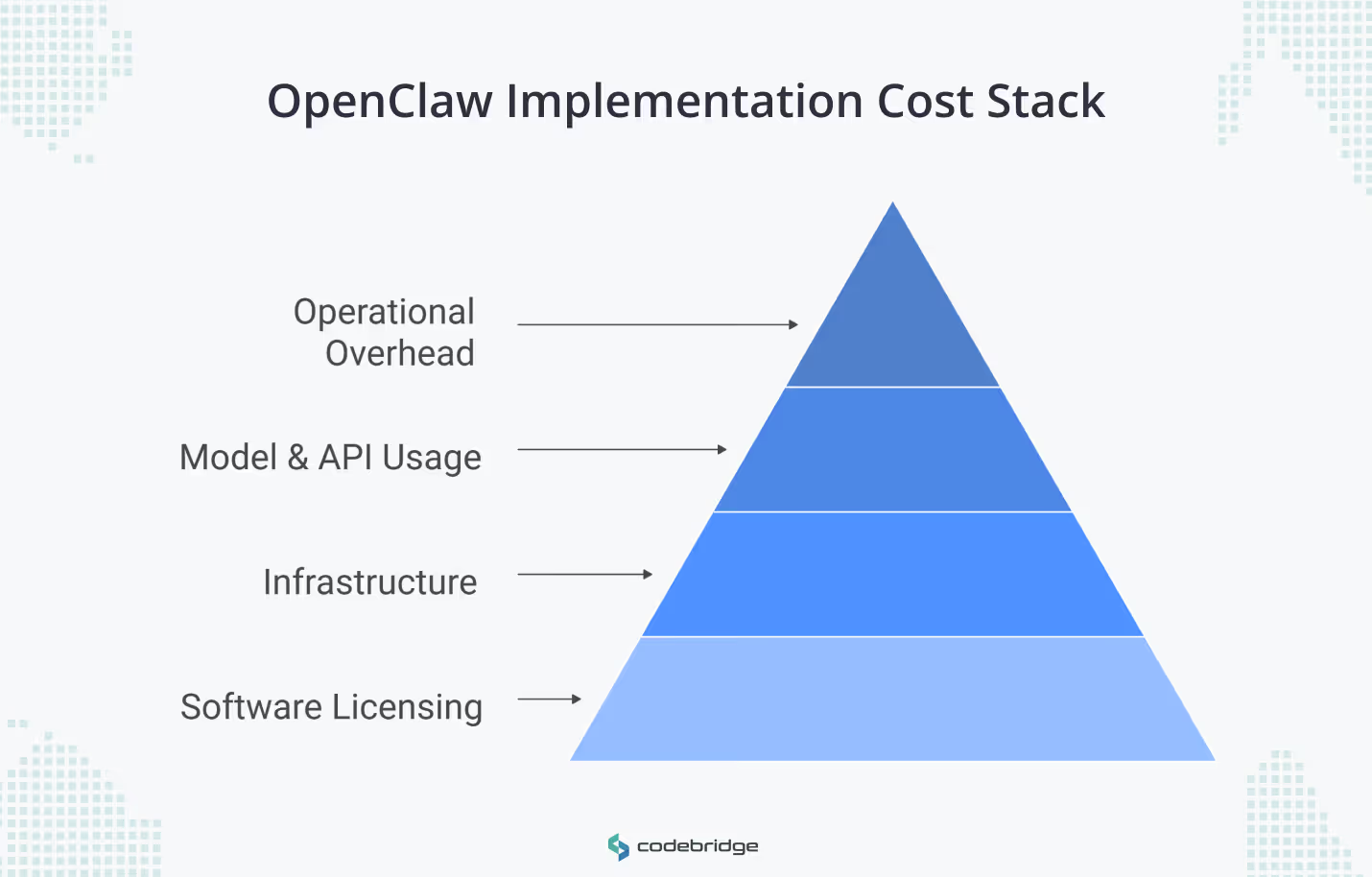
A realistic OpenClaw budget starts with understanding the cost stack. The clearest way to do that is to separate the implementation cost into four parts.
Software licensing
OpenClaw itself is open source. That removes license fees for the core product, but it does not remove the cost of deploying and operating it in a business environment.
Infrastructure
The next layer is where the system runs. For some teams, that may be a local machine or a lightweight VPS during evaluation. For others, it means a more stable cloud environment with backups, monitoring, and enough headroom to support business workflows reliably.
The cost here depends less on OpenClaw itself than on the level of uptime and operational predictability the team expects.
Model and API usage
This is usually the most variable part of the budget, and in many cases, the most important one. Model choice, context size, prompt frequency, and workflow design all affect spend. A narrow internal workflow using cheaper models behaves very differently from a multi-channel setup that leans on premium models and long context.
Operational overhead
This is the part teams underestimate most often. It includes setup, integration work, security controls, workflow tuning, usage monitoring, and the time required to keep the system stable once people start relying on it. This is where a low-cost pilot can turn into a system with real support and maintenance overhead.
These layers do not carry equal weight in every deployment. Software cost is the most visible because it is easy to understand. Operational cost is often more important because it is easier to ignore until the system is already in use.
Key Drivers Behind OpenClaw Cost for Businesses
OpenClaw budgets vary widely because the software may be the same, but the operating model is not.
Two teams can start from the same repository and end up with very different monthly costs because they make different decisions about hosting, model routing, context handling, and workflow behavior. In production, OpenClaw spend is shaped more by how the system behaves once it is running.
Hosting Model and Reliability
The first driver is where the system runs and how much stability the business expects from it. A local setup or a lightweight VPS may be enough for experimentation. It is a different question when the workflow starts to matter operationally and the team needs predictable uptime, recoverability, and less manual intervention. At that point, infrastructure costs rise, but so does the expectation that someone can support the system when it fails.
Model Choice and Routing Discipline
Model selection has a direct effect on runtime cost. Using a frontier model like Claude Opus 4.7 for every task is a common budgetary failure mode. Many OpenClaw workflows include a mix of low-complexity tasks and a smaller number of decisions that actually justify stronger reasoning. Teams that control cost well usually route simpler tasks to cheaper models and reserve higher-cost models for escalation paths, exceptions, or tasks where quality clearly justifies the spend.
Usage Intensity and Context Bloat
The next driver is not just how often the system runs, but how much information it sends with each request. OpenClaw can carry substantial context across interactions, including instructions, tool definitions, conversation state, and workspace files. That improves continuity, but it also increases token usage. If context is not managed through frequent compaction or fresh session commands (/new), each interaction becomes more expensive than the one before it, even when the underlying task has not become more valuable.
Workflow Design
Inefficient architectures, such as high-frequency polling or "noisy" heartbeat settings, can drain budgets. For example, default heartbeat settings that load a full 170k-token context every 30 minutes can cost upwards of $86/month just to confirm there is no work to do. High-frequency polling and poor filtering logic can turn a modest deployment into a system that burns budget on background activity rather than useful output.
This is why OpenClaw cost is not just a pricing question and more a systems question. The budget follows the architecture: how often the system runs, what it sends to models, which models it calls, and how much operational stability the business expects from the result.
OpenClaw Cost in 2026 by Deployment Scenario
There is no single number that defines OpenClaw cost in 2026. A more useful approach is to budget by operating scenario.
Based on official pricing and documented practitioner evidence, businesses should categorize their budget according to expected usage. The scenarios below are best read as planning frames, not fixed pricing categories.
This kind of scenario-based view is more realistic than looking for one headline number. A light internal test has very different cost behavior from a production-ready deployment with multiple channels, stronger uptime expectations, and heavier use of premium models.
The Hidden Side of OpenClaw Total Cost of Ownership
The software may be free to install. The harder question is what it costs to keep the system useful once people start depending on it.
This is where many teams underestimate OpenClaw. The visible costs are straightforward: hosting, model usage, and any managed platform fee. The less visible costs show up later, in engineering time, support ownership, and poor cost visibility.
- Engineering Stabilization: Significant time can disappear into troubleshooting Node environments, tunneling, and channel integrations (e.g., WhatsApp or Slack actions).
- Inaccurate Usage Reporting: Current issues in the OpenClaw ecosystem show that reporting commands (/context detail) may undercount actual token consumption by as much as 10x, leading to unexpected "runaway" API bills.
- Support and Maintenance: Treating a personal assistant architecture like a business-critical system often leads to "setup fatigue". Without managed oversight, internal teams must manually handle updates, security patches, and database storage growth.
That is why “free” is often the least important part of the cost discussion. The larger expense is usually the operating burden that accumulates after the first deployment works.
Self-Hosted vs. Managed: The Execution Trade-off
The decision between self-hosting and using a managed service like OpenClaw GDN involves a fundamental trade-off:
Self-hosted
Self-hosting gives a team the most control. It also gives the team the full stack of responsibility that comes with that control. OpenClaw presents itself as a personal AI assistant you run on your own devices, which makes self-managed deployment a natural starting point for experimentation or for teams that are already comfortable operating the stack themselves.
This path can reduce direct infrastructure spend, but the trade-off is that uptime, security, updates, recovery, and troubleshooting stay with the internal team. For some organizations, that is acceptable because the workflow is still exploratory or because infrastructure ownership is part of how the team wants to operate.
Managed (OpenClaw GDN)
A managed path shifts the emphasis from control to predictability. OpenClaw GDN publishes clear pricing tiers and includes infrastructure features such as a dedicated VM, automatic updates, backups, firewalling, and BYOK support across plans. Its Pro plan is listed at $49/month, and its Business plan at $199/month, with higher support and SLA commitments on the Business tier.
The practical advantage is not only lower setup friction. It is fewer infrastructure decisions, a faster path to a usable deployment, and less day-to-day operational babysitting. That makes it a better fit for teams that want to use OpenClaw in a business workflow without turning infrastructure management into a side project.
If the priority is maximum control and the team is comfortable carrying the operational burden, self-hosting can make sense. If the priority is a quicker path to stable use, published pricing, and less internal support overhead, a managed route is often the cleaner option.
Cost-Control Checklist for CEOs and CTOs
To prevent OpenClaw from becoming a "token hog," technical leaders should implement the following guardrails:
Conclusion
OpenClaw can be inexpensive to start. That does not make it inexpensive to run well.
For a business, the cost is shaped far more by architecture and operating discipline than by the fact that the software is open source. Infrastructure choices, model routing, context management, and support ownership all affect the monthly budget. More importantly, they affect whether the system remains predictable once people begin to rely on it.
Some teams will decide that self-hosting is worth the control and flexibility. Others will decide that published pricing and lower operational burden are the better trade-off.
Either way, the right decision comes from treating OpenClaw as part of the operating model, not as a free tool that happens to use AI.















Heading 1
Heading 2
Heading 3
Heading 4
Heading 5
Heading 6
Lorem ipsum dolor sit amet, consectetur adipiscing elit, sed do eiusmod tempor incididunt ut labore et dolore magna aliqua. Ut enim ad minim veniam, quis nostrud exercitation ullamco laboris nisi ut aliquip ex ea commodo consequat. Duis aute irure dolor in reprehenderit in voluptate velit esse cillum dolore eu fugiat nulla pariatur.
Block quote
Ordered list
- Item 1
- Item 2
- Item 3
Unordered list
- Item A
- Item B
- Item C
Bold text
Emphasis
Superscript
Subscript