In the rapidly evolving tech landscape, the demand for software applications is growing exponentially. Traditional software development methods, often slow and resource-intensive, struggle to keep pace. Enter low-code and no-code development platforms, which promise to democratize software creation, enabling a broader range of people to build applications quickly and efficiently. This article explores the opportunities and limitations of low-code and no-code development, examining how these platforms are reshaping the software development landscape.
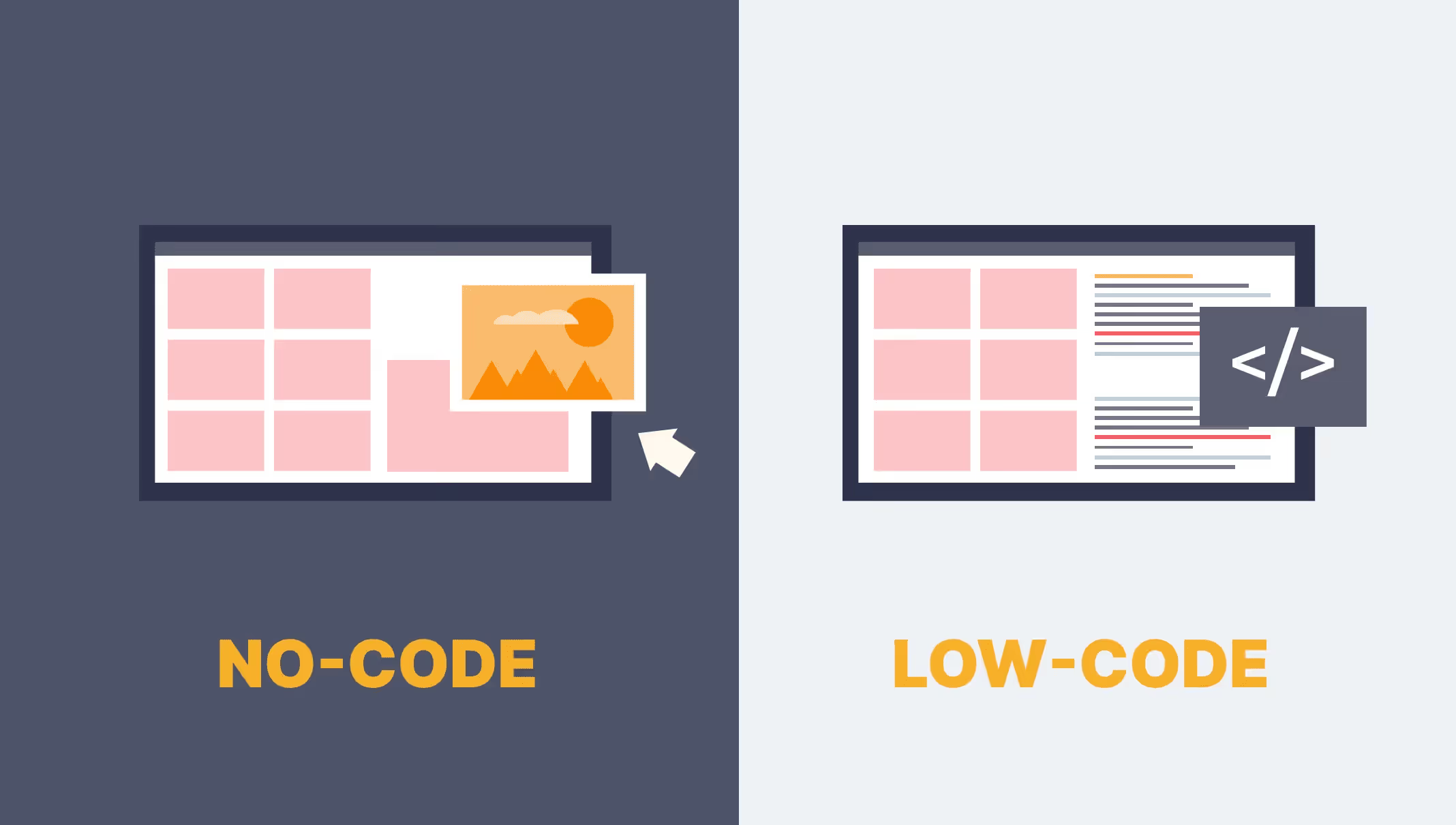
Understanding Low-Code and No-Code Development
Low-Code Development
Low-code development platforms provide a visual interface with drag-and-drop features and pre-built templates, significantly reducing the need for extensive hand-coding. While some coding is still required, these platforms streamline the development process, making it faster and more accessible.
No-Code Development
No-code development platforms go a step further by allowing users to create applications without writing any code. These platforms are designed for business users or "citizen developers" who have little to no programming experience. No-code platforms typically offer intuitive visual tools that guide users through the entire development process.

Opportunities of Low-Code and No-Code Development
Accelerated Development and Deployment
- Speed to Market: One of the most significant advantages of low-code and no-code platforms is the ability to accelerate development and deployment. Applications that would traditionally take months to develop can often be built in a matter of days or weeks.
- Rapid Prototyping: These platforms enable rapid prototyping and iterative development, allowing developers to quickly test and refine ideas based on user feedback.
Democratization of Software Development
- Empowering Citizen Developers: No-code platforms, in particular, empower non-technical users to create their own applications, reducing the reliance on professional developers. This democratization of software development can lead to greater innovation and problem-solving within organizations.
- Cross-Functional Collaboration: By enabling business users to participate in the development process, low-code and no-code platforms foster better collaboration between technical and non-technical teams. This alignment ensures that applications better meet business needs.
Cost Efficiency
- Reduced Development Costs: By streamlining the development process and reducing the need for extensive coding, these platforms can significantly lower development costs. Organizations can allocate resources more efficiently and focus on high-value tasks.
- Lower Maintenance Costs: Low-code and no-code applications are typically easier to maintain and update, reducing the long-term costs associated with traditional software development.
Flexibility and Scalability
- Adaptability: Low-code and no-code platforms offer a high degree of flexibility, allowing organizations to quickly adapt to changing business requirements. Users can easily modify and update applications as needed.
- Scalability: Many low-code and no-code platforms are designed to scale with the organization’s needs, supporting both small applications and large enterprise solutions.
Improved User Experience
- User-Centric Design: The visual, drag-and-drop interfaces of low-code and no-code platforms make it easier to design user-centric applications. This focus on user experience can lead to higher adoption rates and better overall satisfaction.
Low-code and no-code platforms are democratizing software development, allowing both technical and non-technical users to create applications faster and more efficiently.
Limitations of Low-Code and No-Code Development
Limited Customization and Complexity
- Customization Constraints: While low-code and no-code platforms offer a high degree of flexibility, they can be limited in terms of customization. Complex applications with highly specific requirements may be challenging to build using these platforms.
- Scalability Issues: For very large-scale applications or those requiring intricate integrations and customizations, low-code and no-code solutions may fall short.
Performance and Security Concerns
- Performance Bottlenecks: Applications built on low-code and no-code platforms may experience performance issues, particularly under heavy loads or with complex functionalities.
- Security Risks: Security is a critical concern in any software development. Low-code and no-code platforms can introduce vulnerabilities if not properly managed, especially when handling sensitive data. Organizations must ensure that these platforms comply with security best practices and regulations.
Vendor Lock-In
- Dependency on Platforms: Relying heavily on a particular low-code or no-code platform can lead to vendor lock-in. If the platform provider changes its pricing model, discontinues a service, or if the organization needs to switch platforms, it can face significant challenges.
- Integration Challenges: Integrating low-code or no-code applications with existing systems and third-party services can be difficult, particularly if the platform has limited support for integration.
Skill and Knowledge Gaps
- Limited Technical Depth: While no-code platforms are designed for non-technical users, there can still be a learning curve. Users may also lack the technical knowledge to understand the implications of their design choices fully.
- Developer Skepticism: Professional developers might be skeptical of low-code and no-code platforms, viewing them as inadequate for complex, mission-critical applications. This skepticism can hinder adoption and collaboration within development teams.
Governance and Control
- Governance Challenges: As more business users create applications, maintaining proper governance and control can become challenging. Organizations need to implement policies and practices to ensure that applications are secure, compliant, and aligned with business objectives.
- Quality Assurance: Ensuring the quality and consistency of applications built on low-code and no-code platforms can be difficult, particularly if multiple users with varying levels of expertise are involved.
Best Practices for Leveraging Low-Code and No-Code Platforms
Define Clear Use Cases
- Identify Suitable Applications: Not all applications are suitable for low-code or no-code development. Organizations should identify clear use cases where these platforms can provide the most value, such as internal tools, customer portals, and workflow automation.
Foster Collaboration
- Cross-Functional Teams: Encourage collaboration between business users and IT teams to leverage the strengths of both groups. Business users bring domain knowledge, while IT can provide technical oversight and ensure best practices.
- Regular Communication: Establish regular communication channels and feedback loops to address issues promptly and improve the development process.
Implement Governance and Security Policies
- Standardize Development Practices: Develop and enforce standardized development practices to ensure consistency and quality across all applications. This includes coding standards, documentation requirements, and testing protocols.
- Security Measures: Implement robust security measures to protect sensitive data and ensure compliance with industry regulations. Regularly update and audit applications to address potential vulnerabilities.
Invest in Training and Support
- Training Programs: Provide comprehensive training programs for both business users and IT staff to ensure they understand how to effectively use low-code and no-code platforms.
- Support Systems: Establish support systems to assist users in troubleshooting issues and optimizing their applications.
Monitor and Optimize
- Performance Monitoring: Continuously monitor the performance of applications built on low-code and no-code platforms. Use analytics tools to identify and address performance bottlenecks.
- Iterative Improvement: Adopt an iterative approach to development, continuously refining and improving applications based on user feedback and changing business needs.
Real-World Applications and Case Studies
Case Study 1: Banking Sector
A major bank used a low-code platform to streamline its loan application process. By automating workflows and integrating with existing systems, the bank reduced processing times from weeks to days. The platform’s flexibility allowed for quick adjustments to regulatory changes, ensuring compliance without significant redevelopment.
Case Study 2: Healthcare Industry
A healthcare provider leveraged a no-code platform to create a patient management system. Non-technical staff were able to build and maintain the system, reducing the burden on IT resources. The platform enabled real-time data updates and improved patient care coordination.
Case Study 3: Retail Sector
A retail company used a low-code platform to develop a customer loyalty app. The app integrated with the company’s CRM and point-of-sale systems, providing personalized offers and rewards. The rapid development cycle allowed the company to launch the app ahead of schedule, driving increased customer engagement and sales.
Future Trends in Low-Code and No-Code Development
AI and Machine Learning Integration
- Enhanced Automation: Future low-code and no-code platforms are likely to integrate AI and machine learning capabilities to further enhance automation and intelligence. This can lead to smarter applications that can predict user behavior, automate decision-making, and optimize processes.
Greater Customization and Flexibility
- Hybrid Approaches: As technology evolves, we may see hybrid approaches that combine low-code, no-code, and traditional development methods. This will allow for greater customization and flexibility, catering to a wider range of use cases.
- Advanced Tools: Platforms will likely offer more advanced tools and features, enabling the creation of more complex applications without sacrificing ease of use.
Focus on Security and Compliance
- Built-In Security Features: Future platforms will place a greater emphasis on security, offering built-in features to ensure data protection and compliance with regulations.
- Automated Compliance: Automated compliance checks and audits will become more prevalent, helping organizations maintain regulatory standards without manual intervention.
Expansion into New Industries
- Industry-Specific Solutions: Low-code and no-code platforms will continue to expand into new industries, offering tailored solutions for specific sectors such as manufacturing, education, and government.
While low-code and no-code tools accelerate development and reduce costs, understanding their limitations is crucial for ensuring they meet your application's needs and maintain security and performance standards.
Conclusion
Low-code and no-code development platforms are transforming the software development landscape by democratizing application creation, accelerating time to market, and reducing costs. While these platforms offer numerous opportunities, they also come with limitations related to customization, performance, security, and governance.
By understanding the strengths and weaknesses of low-code and no-code platforms, organizations can strategically leverage them to meet their specific needs. Implementing best practices, fostering collaboration, and investing in training and support will be crucial for successful adoption.
As technology continues to advance, the future of low-code and no-code development looks promising. With ongoing innovations and improvements, these platforms will play an increasingly important role in enabling organizations to build robust, scalable, and secure applications quickly and efficiently.
FAQ
What is low-code and no-code development?
Low-code and no-code development platforms enable users to build applications with minimal hand-coding. Low-code allows some customization through code, while no-code relies entirely on visual builders and preconfigured components.
What opportunities do low-code and no-code platforms offer businesses?
These platforms accelerate development, reduce costs, and enable non-technical teams to create applications. They are especially useful for rapid prototyping, internal tools, and automating simple workflows.
Which types of projects are best suited for low-code or no-code solutions?
Low-code and no-code work well for MVPs, dashboards, CRUD applications, process automation, and internal business tools. They are less suitable for highly complex or performance-critical systems.
What are the main limitations of low-code and no-code platforms?
Limitations include restricted customization, vendor lock-in, scalability constraints, limited control over architecture, and challenges with complex integrations or advanced security requirements.
How do low-code and no-code tools impact traditional software development teams?
They complement development teams by offloading simple tasks and speeding up delivery. Developers can focus on complex logic, architecture, and scalability while business users handle simpler applications.
How should organizations decide whether to use low-code, no-code, or custom development?
The decision depends on project complexity, scalability needs, budget, and long-term goals. A hybrid approach often provides the best balance between speed and flexibility.
















Heading 1
Heading 2
Heading 3
Heading 4
Heading 5
Heading 6
Lorem ipsum dolor sit amet, consectetur adipiscing elit, sed do eiusmod tempor incididunt ut labore et dolore magna aliqua. Ut enim ad minim veniam, quis nostrud exercitation ullamco laboris nisi ut aliquip ex ea commodo consequat. Duis aute irure dolor in reprehenderit in voluptate velit esse cillum dolore eu fugiat nulla pariatur.
Block quote
Ordered list
- Item 1
- Item 2
- Item 3
Unordered list
- Item A
- Item B
- Item C
Bold text
Emphasis
Superscript
Subscript