AI Answer Summary
Invoice coding assigns the accounting classifications that tell a finance system where a vendor invoice belongs before it is posted: the general ledger account, plus dimensions such as department, project, entity, location and tax code, often line by line.
A code decides more than where a cost sits in the books. It decides whether a cost is expensed or capitalized, whether a payment must be reported on Form 1099, and whether the business owes tax the vendor did not charge. An ERP accepts a code that gets any of these wrong, and the error tends to surface at close, at filing or in an audit.
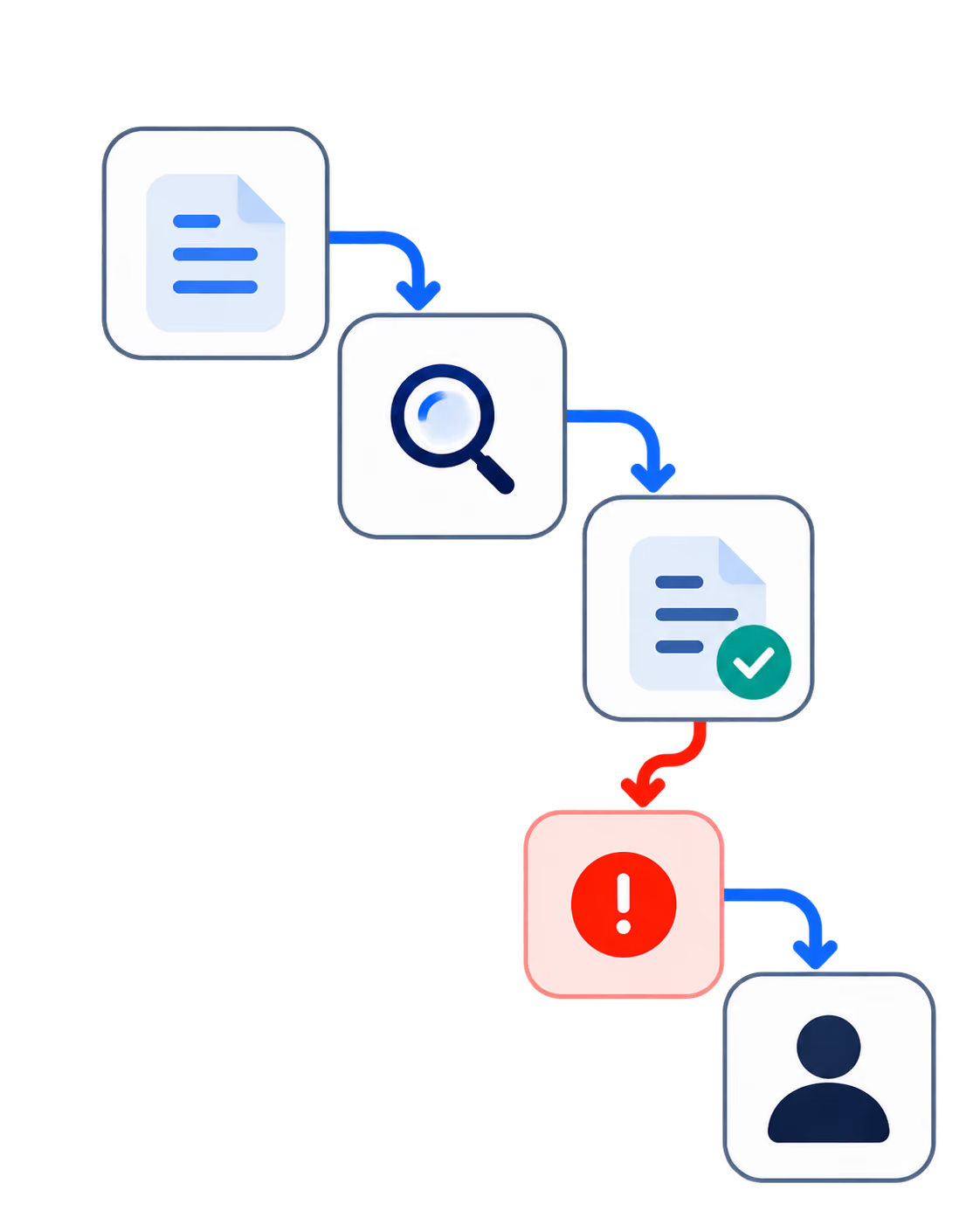
Rules can code predictable invoices, purchase orders can supply codes for PO invoices, and context from contracts and coding history can support suggestions for the rest. A person reviews new, unusual or material items. Reclassifications at close show whether the coding was right.
What Is Invoice Coding?
Invoice coding is the step in accounts payable where someone, or something, assigns the accounting classifications that tell the finance system where a vendor invoice belongs before it is posted.
A simple case: a $1,200 invoice from an office supplier, coded to office supplies expense, the operations department and the US entity. The vendor never says which account or department the cost belongs to. The business decides that, and the code records the decision.
Several people can be involved. AP staff code most invoices. For purchases made against a purchase order, much of the coding is set when the order is approved. For invoices with no order behind them, the budget owner often has to say what the cost was for. The controller owns the coding policy that all of them follow.
In a small business, coding may mean one general ledger account per invoice. In most mid-sized businesses it means several dimensions on each line, and the same invoice can be coded in more than one valid way. That is where the difficulty starts, and where most coding errors come from.
What Gets Coded on an Invoice: GL Accounts and Other Dimensions
The general ledger account says what kind of cost it is. The other dimensions say who owns it, what it was for, and how it is taxed.
Coding can happen at two levels. Header-level coding applies one set of codes to the whole invoice, which is quick and loses detail. Line-level coding treats each line separately, so an invoice that mixes a subscription, a service fee and a reimbursable expense can send each to the right place. A split goes one step further, allocating a single line across departments or projects by percentage or amount.
The more dimensions a business uses, the more ways one invoice can be coded validly and still wrongly. A code that names a real account, a real department and a real project will post without complaint, whether or not those are the right ones.
How to Code an Invoice: A Worked Example
Code the invoice line by line, and check the rules that apply before posting.
- Confirm the vendor and the entity being billed. A vendor that serves several of your entities may invoice the wrong one
- Check for a purchase order, and use its coding where one exists
- Read each line and assign the general ledger account
- Assign department, project and location, splitting a line where the cost is shared
- Apply the tax code, including tax the vendor should have charged and did not
- Check the rules that decide the treatment: capitalization, the de minimis threshold and 1099 reporting, covered in the next sections
- Route anything uncertain or material to the person who can decide
Here is what that looks like on an invoice where the lines need different treatment. The figures are illustrative.
Nothing on the invoice says which treatment applies to the second line. The contract and the company's capitalization policy decide it, and the company's accountants should confirm the policy. That is the subject of the next section but one.
Invoice Coding, Matching and Approval: Three Separate Controls
Matching checks the invoice against what was ordered and received. Coding decides where it belongs in the books. Approval confirms that someone with authority accepts the spend.
The three get confused because one screen often handles all of them, so a passed match can feel like a correct code. An invoice can match its purchase order perfectly and still be coded to the wrong department, or to expense when it should have been capitalized. Keeping the three distinct also keeps responsibility clear, since a coding error belongs to whoever owns the coding policy, whatever the match result said.
Our guide to three-way matching covers matching and tolerances, and our guide to automating accounts payable covers approval routing and the rest of the cycle.
Coding PO and Non-PO Invoices
A PO invoice usually inherits its coding from the approved purchase. A non-PO invoice has to be coded from whatever the invoice and the business know.
For a PO invoice, coding becomes a check: do the invoice lines still match what the purchase order assumed? A change in scope, a substituted item or an extra charge can mean the inherited code no longer fits, and the check is where that gets caught.
For a non-PO invoice, such as a professional service, a subscription, a utility bill or a one-off purchase, the coder has to infer context. Often the only reliable source is the budget owner who commissioned the work, which is why non-PO invoices take longer and carry more coding errors. Our AP guide's section on segmenting invoices by type covers how to handle each kind across the whole cycle.
The Rules That Decide How an Invoice Is Coded
The hardest coding calls are settled by accounting and tax rules the invoice does not state. Four come up constantly. These are US federal rules, with one state as the example for use tax.
Cloud Subscriptions and Implementation Costs: Capitalize or Expense
Under ASU 2018-15, which the FASB issued in August 2018, a customer in a cloud service contract expenses the hosting fees as the service is provided. Qualifying implementation costs, such as configuration and integration work, follow the internal-use software guidance and can be capitalized, then amortized over the term of the hosting arrangement. As Deloitte's summary explains, the standard aligns those costs with the rules for implementing internal-use software. ASU 2025-06, issued in September 2025, removes the old project stages from that guidance for annual periods beginning after December 15, 2027, and leaves the cloud implementation rule in place.
The coding call: one vendor invoice, two treatments, as in the worked example.
Equipment: The IRS De Minimis Safe Harbor
A business can elect each year to deduct tangible property up to $2,500 per invoice, or per item as substantiated by the invoice, under the IRS de minimis safe harbor. The limit is $5,000 for a business with an applicable financial statement and written accounting procedures, and the amount has to be expensed in the books too.
The coding call: three laptops at $2,000 each, itemized on the invoice, can each fall under the threshold. The same purchase on an invoice showing only a $6,000 total cannot use the per-item route. How the vendor itemized the invoice, and how it was coded line by line, changes the tax treatment.
Services: Which Payments Need a Form 1099
The IRS reporting threshold is $600 for payments made before 2026 and $2,000 for payments made in 2026, with inflation adjustments after that. Payments to corporations are generally not reported, except payments for medical, health or legal services.
The coding call: whether a vendor is classified as a corporation, and whether a payment is coded as legal services, consulting or goods, decides whether it is reportable. A $3,000 payment to an incorporated law firm is reportable; the same amount to an incorporated marketing agency generally is not. A system still set to the old $600 threshold will flag the wrong vendors for 2026 payments.
Untaxed Purchases: Use Tax
California's tax agency requires businesses to report use tax on taxable items used in the state when the seller did not collect California tax, and its guide for businesses tells them to examine purchase invoices from out-of-state retailers to check whether the tax was charged. Other states have their own rules, and businesses outside the US apply their own VAT or GST treatment.
The coding call: the tax code on the line decides whether the liability gets recorded. Office equipment bought from an out-of-state seller with no tax on the invoice, coded with no tax, creates a liability nobody recorded.
Why Invoice Coding Goes Wrong
Most coding errors are valid codes applied to the wrong cost, and the ERP accepts them.
- Missing context. The invoice does not say which project or entity the cost belongs to, so the coder guesses
- Vague vendor descriptions. "Professional services" or "as agreed" gives the coder nothing to classify
- Vendor defaults. A default account set for a vendor's usual invoice gets applied to an unusual one
- Unsplit lines. A cloud invoice with an implementation line coded entirely to subscription expense
- Unitemized equipment. A lump-sum invoice that loses the per-item treatment
- Misclassified service payments. A legal fee coded as general consulting, or an incorporated vendor treated as unincorporated, which changes 1099 reporting
- Untaxed purchases coded with no tax. A use tax liability that never reaches the books
- Changed charts or dimensions. Old defaults still pointing at accounts or departments the business has since restructured
What makes these dangerous is that each one posts without an error. The cost shows up later as a reclassification at month-end close, a budget variance someone has to explain, an adjustment when the tax return is prepared, or a finding in an audit. By then, the person who coded the invoice rarely remembers why.
What to Automate in Invoice Coding
Rules can code predictable invoices, purchase orders can code PO invoices, context can support suggestions for the rest, and uncertain or material items go to a person.
Rules and defaults suit recurring, predictable invoices, such as a fixed monthly subscription from a known vendor to a known entity. For PO invoices, the system can inherit the order's coding and check that the invoice lines still fit it. For ambiguous non-PO invoices, a suggestion can draw on the contract, the vendor's history and how similar invoices were coded before. New vendors, unusual allocations, material amounts and conflicting context go to someone who can decide.
The rule checks from the previous section belong inside the workflow. It can flag cloud invoices that include implementation lines, compare itemized amounts against the de minimis threshold, check how each vendor is classified for 1099 purposes, and look for tax missing on taxable lines.
Every suggestion should show where it came from: the purchase order, a prior invoice, or a clause in the contract. A reviewer who can see the reason can check it in seconds, and a reviewer who sees only a code has to work it out again.
Our AP guide covers the wider design, including which decisions should stay with a named person however confident the system is.
How to Measure Invoice Coding Accuracy
The test of invoice coding is whether it survives close.
Reclassifications at close matter most, because every one is a code that looked right when it was posted. Track them by cause, such as missing context, a vendor default, an unsplit line, or one of the rules in the previous section. The causes tell you which part of the coding process to fix, and a falling count is the clearest evidence that coding is improving.
Start with a baseline before changing anything. Count last quarter's reclassifications, group them by cause, and note which vendors and accounts appear most often. That list shows where coding goes wrong today, and it gives any later change, automated or not, something to be measured against.
Invoice Coding for Accounting Firms Managing Client Books
A firm coding invoices for many clients works with one chart of accounts, one set of dimensions and one coding history per client.
The same vendor can be coded differently for different clients, because each client's structure and policies differ. A software subscription might go to a single expense account for a small client and be split across subsidiaries and departments for a larger one. Any coding that a system learns from history has to stay client-specific, and a suggestion drawn from one client's books must never appear in another's.
That separation is the same problem a firm faces when it closes many clients' books at once, which our article on the multi-client close covers in detail.
How Codebridge Builds Invoice Coding Workflows
Our AP invoice workflow reads each invoice line by line and draws on the purchase order, the contract, the vendor's history and the company's coding policy to propose codes, with the reason for each. It runs the rule checks covered above and routes exceptions to the person who can decide. Coding decisions and approvals stay with the finance team, and each decision is recorded.
One workflow goes live in three weeks, wired into the ERP the company already runs, and the company owns the repository, the prompts and the configuration from day one.
The closest reference we can offer, labelled for what it is: Knowledge Cloud, built for a Big Four tax and legal practice, runs an expert review queue with an immutable audit log, so a senior practitioner approves each output before the firm acts on it. A knowledge platform rather than an AP system. What it demonstrates is the review and audit-trail pattern.
Our founding team spent more than a decade at KPMG.
If you want to find out where your coding gets reclassified at close, book a 20-minute call.

















Heading 1
Heading 2
Heading 3
Heading 4
Heading 5
Heading 6
Lorem ipsum dolor sit amet, consectetur adipiscing elit, sed do eiusmod tempor incididunt ut labore et dolore magna aliqua. Ut enim ad minim veniam, quis nostrud exercitation ullamco laboris nisi ut aliquip ex ea commodo consequat. Duis aute irure dolor in reprehenderit in voluptate velit esse cillum dolore eu fugiat nulla pariatur.
Block quote
Ordered list
- Item 1
- Item 2
- Item 3
Unordered list
- Item A
- Item B
- Item C
Bold text
Emphasis
Superscript
Subscript