AI Answer Summary
Legal billing guidelines are a client's rules for how outside counsel records and invoices work: who may bill, at what rates, in what time increments, how entries must be described, what counts as billable, which expenses are reimbursed, and how and when invoices are submitted.
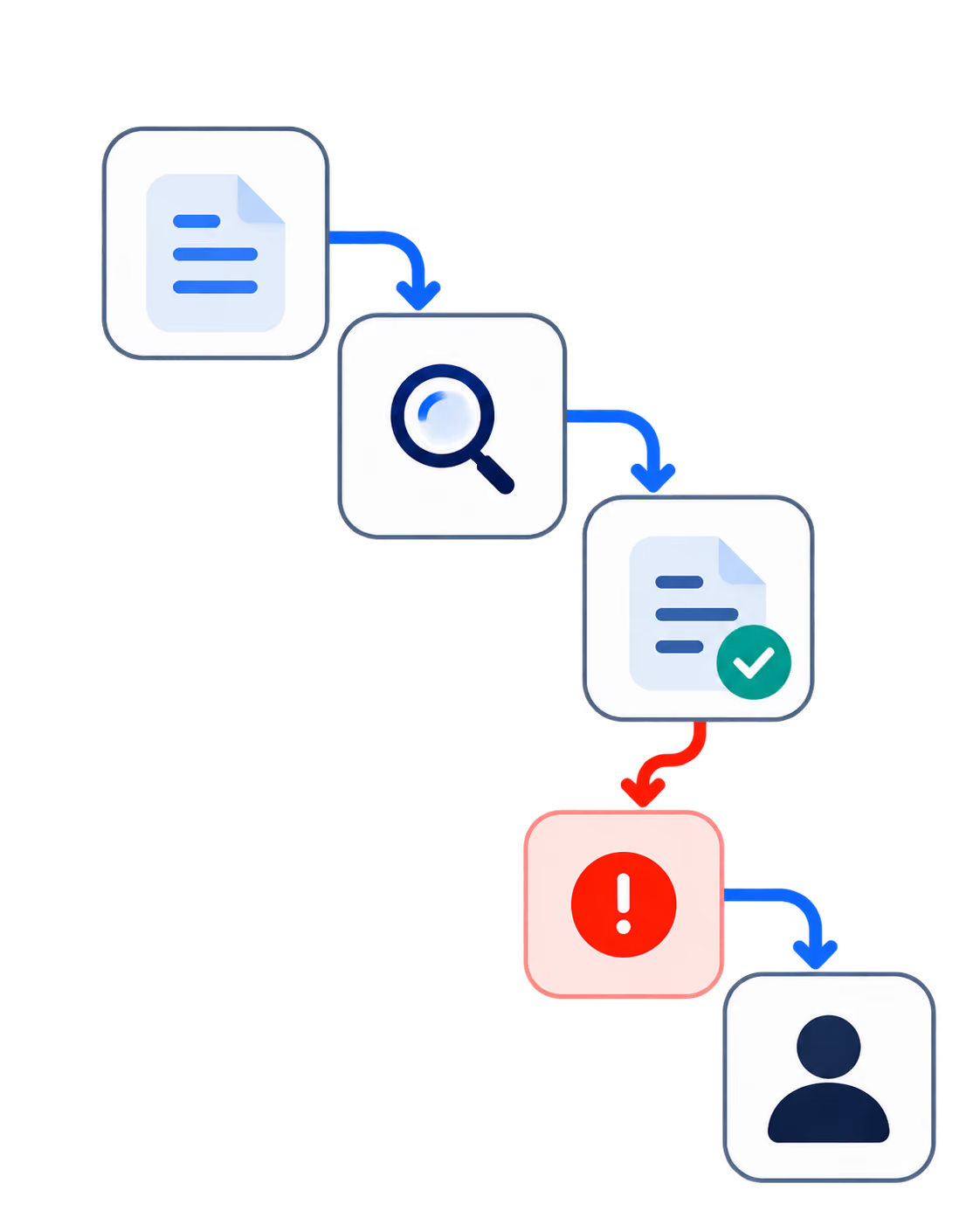
Many clients receive invoices through e-billing platforms that validate the file, run automated audits against the client's rules, and pass what remains to a reviewer. Lines can be flagged, cut or rejected before anyone at the client reads them.
The rules differ by client, so one firm-wide checklist cannot cover them. The useful checks split in two: those a system can settle, such as rates, timekeepers and codes, and those that need judgement, such as vague or bundled narratives. Running both before the pre-bill reaches a partner catches problems before the client does.
What Are Legal Billing Guidelines?
Legal billing guidelines are the rules a client sets for how its outside counsel records, describes and invoices work. They usually arrive with the engagement and become part of its terms.
They sit on top of a professional floor. ABA Model Rule 1.5 requires fees and expenses to be reasonable, and requires the basis or rate of the fee and expenses to be communicated to the client, preferably in writing, with any later change communicated too. Billing guidelines go much further and much more specifically: they say which lawyers may bill, in what increments, with what kind of description, and for which tasks the client will not pay at all.
Most published writing on the subject is aimed at legal departments drafting guidelines for their outside counsel. This article is for the other side: the firm that has to comply with dozens of them at once, and finds out whether it did when the client's system answers.
What Legal Billing Guidelines Contain: Rules From Published Client Guidelines
The core rules repeat from client to client. The details that cost money do not.
Several clients publish their guidelines, which makes it possible to show the rules themselves instead of a summary of them.
Three rules appear almost everywhere: time recorded in tenths of an hour, no block billing, and no charge for administrative work. Everything else varies. Deadlines differ. So do the staffing limits, which junior lawyers may bill, the platform an invoice must pass through, and what happens to a line that breaks a rule, from a request for clarification to an automatic 50% cut.
Missouri's guidelines also say something worth noticing from the firm's side: fees and expenses should be reviewed by the appropriate lawyer at the firm before the bill is submitted, and anything inconsistent with the guidelines should be corrected first. The client is asking for the check this article describes.
How Clients Enforce Legal Billing Guidelines Through E-Billing
On many clients' side, software checks your invoice before a person does.
The audit layer is documented by the platforms themselves. Thomson Reuters' help pages for Legal Tracker, the system Missouri requires, describe keyword flags on fee and expense lines, a block-billing audit, duplicate-line detection, and settings that cut non-compliant lines to zero or reject an entire invoice. One detail matters for firms in particular: only invoices in LEDES format with an approved timekeeper rate sheet can be audited for rate and expense violations. The file a firm submits decides which of the client's rules can be applied to it automatically.
The validation layer has its own standard. Law firms complained for years that client systems returned error messages that did not say what to fix, so the LEDES Oversight Committee ratified standard error codes in 2020 and replaced them with a second version in September 2024. A duplicate invoice number, for example, now carries the code R401.
The two later layers can each send an invoice back. As the committee's then-president described it, an invoice rejected at electronic validation goes through a cycle of correction and resubmission, and once accepted, the reviewer can reject it again and start another.
LEDES and UTBMS Codes in Brief
LEDES is the file format an electronic legal invoice travels in, and LEDES 1998B is the version most used in the United States. UTBMS codes classify each line: a task code for the type of work, an activity code for the action taken, and an expense code for costs. A litigation entry, for example, pairs a task code for the phase of the case with an activity code for drafting or reviewing. Both standards are maintained by the LEDES Oversight Committee, and a client that requires one usually requires the other.
Why Each Client Needs Its Own Billing Checks
The rules that cost money are the ones that differ between clients, and a firm-wide checklist can only hold the ones that repeat.
Take the published guidelines above as one firm's client list for a single month. One client wants invoices within 21 days and cuts block-billed lines over half an hour by half. Another refuses any time from summer associates. A third requires invoices through a specific platform, in a specific format, and caps rate increases at 3%. A fourth treats clerical work as overhead no matter who performed it, which means a partner's time spent organising files is as unbillable as a secretary's.
Apply each client's rules to every matter, every timekeeper and every entry in the month, and the task stops being a document someone reads. It becomes a set of rules something has to apply, line by line, against the right client's version.
Here is the asymmetry. On the client's side, those rules increasingly run automatically on every line. On the firm's side, in our observation, many firms still discover a breach at the partner's desk during pre-bill review, or later, when the client's system sends the invoice back.
Pre-Bill Checks: What a System Can Settle and What Needs Judgement
Every check a firm can run falls into one of two kinds, and the kind decides both when the check should run and who acts on it.
Checks a System Can Settle
Some rules have a definite answer from data the firm already holds. Is this timekeeper approved for this client? Does the rate match the approved rate sheet? Is the time recorded in tenths of an hour? Is this entry a duplicate? Does it carry the task and activity codes the client requires? Is the expense in a reimbursable category and under its cap? Will the invoice go out inside the deadline? Has the matter crossed a budget or pre-approval threshold? A system can answer each of these with certainty and flag the entry the moment it is created.
Checks That Need Judgement
Other rules depend on what an entry means. Is the narrative too vague for this client? Does it bundle separate tasks? Is the work administrative, even though a lawyer did it? Has the same task been billed on two matters? Does the staffing breach a client limit? These checks produce a question for a person to answer, and the person makes the decision.
UBS's half-hour rule shows both kinds at once. Its guidelines allow related tasks to be combined in one entry up to half an hour, and reduce block-billed lines above that by 50%. Whether an entry exceeds half an hour is something a system settles from the time recorded. Whether it combines separate tasks needs someone to read it. A useful check does both: it finds every combined entry over the threshold and asks the person who wrote it to split it before the client's system does the arithmetic.
Missouri's list of descriptions it will not pay for works the same way. A system can flag entries that read like reviewing the file or the correspondence with nothing more. A person decides what the fuller description should say.
Where Each Check Should Run
The principle is the same one that runs through every workflow in this series: the system checks, a named person decides, and the decision is recorded.
Where Billing Guideline Violations Start
Most violations start when the time is entered, and most of the cost lands when the client reviews it.
The usual sources are ordinary. Narratives are written from memory at the end of a week. Tasks are combined to save typing. Junior lawyers do not know a particular client's staffing rules. A rate change goes into the billing system before the client has approved it. Each is ordinary on its own, and each breaks a rule that one client enforces and another ignores.
Our guide to legal billing automation covers what makes a time entry survive review, why narratives get written down, and what courts have said about block billing. This article covers the client rules those entries are measured against.
How Billing Guidelines Address AI-Assisted Work
Some clients now write AI into their guidelines, and the professional rules already govern how AI-assisted time is billed.
The University of Missouri's guidelines go further than most. They expect firms to use AI to work more efficiently, and they require those efficiency gains to be passed to the university through reduced time billed. They also require any work done with AI assistance to carry a clear notation in the line-item narrative, and give examples of the wording. For a firm, that turns AI use into something every entry has to record accurately.
The professional rule points the same way. ABA Formal Opinion 512 requires hourly work to be billed at the time spent, so a tool that speeds up a task reduces what can be billed for it, whatever a client's guidelines say.
Missouri is not alone, though it is still unusual. At least one major insurer requires panel counsel to flag AI in every time entry and name the tool, which our article on AI for insurance defense firms covers. Most published guidelines do not mention AI yet, as our article on law firm AI policy sets out. Expect that to change, and expect each client to phrase it differently.
How Guideline Violations Become Write-Downs
Every line a client cuts or rejects is work the firm performed and will not be paid for at its recorded value.
The path is short. Work is done, entered as time, measured against a client rule, and reduced or rejected. Whatever the client takes off comes straight out of the firm's realization. Our guide to realization rate covers how that loss is measured, and our guide to law firm profitability covers where it sits in the firm's economics.
There is a second cost the write-down does not show. Each rejection starts a cycle of correction and resubmission, and an invoice can go through two, one at validation and another at review, before it is paid. That is time the billing team spends, and cash the firm waits for.
How Codebridge Builds Billing Guideline Checks
We build the rule-checking layer for a firm's billing. Each client's guidelines become a set of checks applied to time entries: the ones a system can settle run when time is recorded, and the ones that need judgement run before the pre-bill reaches a partner. Each flagged entry goes to the right person with the rule it appears to break. The partner still decides what goes out, and that decision is recorded.
One workflow goes live in three weeks, wired into the time and billing system the firm already runs. Your firm owns the repository, the prompts and the configuration from day one, including each client's rule set, so when a client issues a new version of its guidelines, the firm updates the rules itself.
The closest reference we can offer, labelled for what it is: Knowledge Cloud, built for a Big Four tax and legal practice, runs an expert review queue with an immutable audit log, so a senior practitioner approves each output before the firm acts on it. A research platform rather than a billing system. What it demonstrates is the review pattern.
Our founding team spent more than a decade at KPMG.
If you want to find out which client's rules are costing your firm the most, book a 20-minute call.

















Heading 1
Heading 2
Heading 3
Heading 4
Heading 5
Heading 6
Lorem ipsum dolor sit amet, consectetur adipiscing elit, sed do eiusmod tempor incididunt ut labore et dolore magna aliqua. Ut enim ad minim veniam, quis nostrud exercitation ullamco laboris nisi ut aliquip ex ea commodo consequat. Duis aute irure dolor in reprehenderit in voluptate velit esse cillum dolore eu fugiat nulla pariatur.
Block quote
Ordered list
- Item 1
- Item 2
- Item 3
Unordered list
- Item A
- Item B
- Item C
Bold text
Emphasis
Superscript
Subscript