AI Answer Summary
A law firm conflict check finds whether a new client, matter or party creates a potential conflict with the firm's current or former clients before the work goes ahead. A match in the search is a prompt for a lawyer to investigate, and only that investigation decides whether a conflict exists.
The ABA's model rule comment says firms should adopt reasonable procedures for this, and that ignorance caused by not having them is no excuse. New York goes further: it requires a written record of every engagement and a check at four set points, namely a new client, a new matter, a lawyer joining the firm, and a new party in a pending matter.
Most missed conflicts trace to information the search never saw: parties nobody recorded, the same company under different names, related entities left out, and records split across systems. A tool can collect, normalise, search and flag. The decision stays with a lawyer.
What Is a Law Firm Conflict Check?
A law firm conflict check is the process of finding out whether a new client, matter or party creates a potential conflict with the firm's current or former clients, before the firm takes on the work.
The duty behind it is set out in Comment [3] to ABA Model Rule 1.7, which asks lawyers to adopt "reasonable procedures, appropriate for the size and type of firm and practice" to identify the persons and issues in every matter. The same comment says that ignorance caused by failing to institute such procedures will not excuse a violation. In other words, a firm that misses a conflict because it had no working process cannot plead that it did not know.
One distinction runs through the rest of this article: a match is not a conflict. When a search returns a hit, the New York City Bar's ethics committee points out, the firm may still need factual and legal investigation to know whether a prohibited conflict exists. The search finds candidates, and a lawyer decides.
Conflicts law itself, meaning direct adversity, material limitation and duties to former clients under Rules 1.7 and 1.9, is a large subject. This article covers the process that finds the facts those rules apply to.
When Should a Law Firm Run a Conflict Check?
At more points than most firms do. New York's rule names four.
New York Rule 1.10(e) requires every firm to make a written record of its engagements at or near the time each one begins, and to keep a system that checks proposed engagements against current and previous ones at each of those four points. Rule 1.10(f) then makes a substantial failure to keep the records or the system a violation in itself, whether or not a conflict ever occurs.
When the City Bar reviewed the earlier version of this rule in 2003, it described it as having no equivalent in any other jurisdiction. Firms outside New York should read their own state's rule, and can treat the four triggers as a sound standard either way.
One more point matters for any firm with several offices. New York State Bar Association Ethics Opinion 1036 concluded that a firm's New York lawyers cannot comply with the rule unless the whole firm sits in a single conflict-checking system.
The Conflict Check Most Firms Miss: New Parties in Pending Matters
Most conflict processes run once, at intake, and the matter keeps changing afterwards.
The fourth trigger in New York's rule covers the moment a new party enters a matter the firm already has: an amended complaint naming a new defendant, a third-party claim, a new lender joining a financing, an intervenor in a regulatory proceeding. Any one of them can be a current client, a former client, or a company related to one. The City Bar called updating conflict records when a complaint adds new parties the best practice in 2003, years before New York made it a named trigger.
It gets missed for an ordinary reason. The intake check is a gate every new matter passes through. A new party arrives in the middle of busy work, often noticed only by the lawyer drafting the response, and nothing in most processes sends that name back to whoever runs conflicts.
The fix needs two parts:
- A firm rule that any new party in an open matter goes back through the conflict search before substantive work continues
- A feed that carries new parties from pleadings, amended filings and deal documents to the search, so the check does not depend on someone remembering to send an email
The rule costs nothing to write. The feed is where most firms need help, because it sits between the systems where matters are worked and the system where conflicts are checked.
What Information Should a Law Firm Conflict Check Search?
More than client names. The minimum is three fields, and most mid-sized firms need more.
The three minimum records come from the City Bar's opinion, which treats them as the floor for any firm, however small. The extended records come from the same opinion's discussion of where larger and more complex practices need more.
The corporate family deserves a closer look, because it is where name searches fail most often. ABA Formal Opinion 95-390 holds that representing a company does not by itself bar a matter against one of its affiliates in an unrelated case. Consent is needed where the affiliate should be treated as a client, where the firm has agreed to avoid acting against the client's affiliates, or where either representation would materially limit the other. The opinion's own preferred solution is a clear understanding at the start of the engagement about which entities count as clients.
That understanding only helps if the conflict search can see it. The City Bar suggests firms that represent large corporate families keep some way to flag affiliates of a proposed adversary, whether through their own database, a commercial service, or by asking clients directly. An engagement letter can also state which affiliates the firm does not represent.
How to Run a Conflict Check at a Law Firm, Step by Step
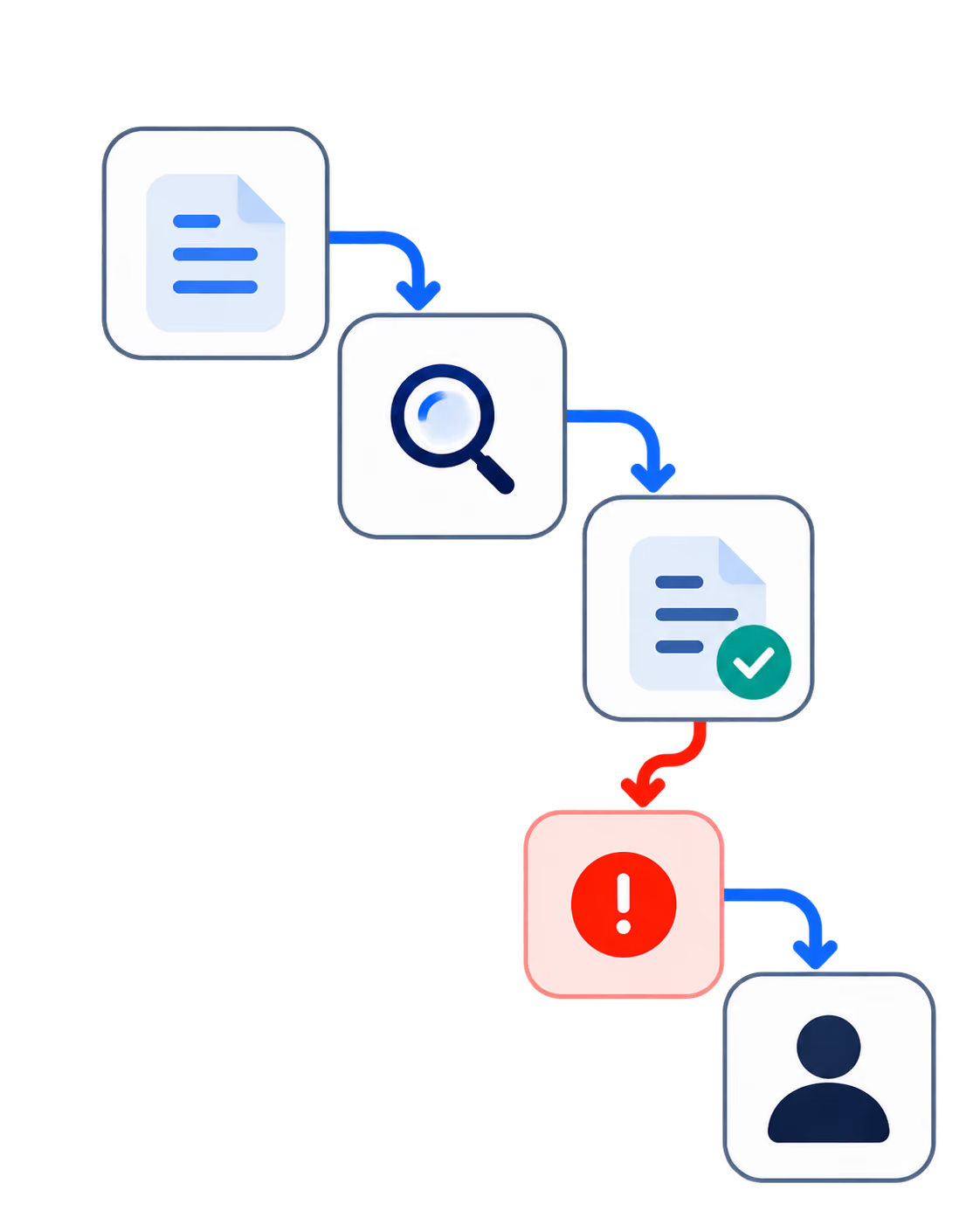
Run it as a sequence that ends with a lawyer's decision and a record of that decision.
- Capture every party at intake. The client, the adverse parties, related parties and entities, and former names where known. Our intake guide covers what may be asked of a prospective client before the check runs.
- Normalise the names. One entity, one canonical record, so the same company under three spellings is searched as one.
- Search every source of record. The conflict database, the matter list, and wherever adverse parties and engagement descriptions are kept.
- Collect the potential matches. Every hit, including near-matches, with the reason each one matched.
- Investigate each match. A lawyer or conflicts specialist checks it against the facts: is this the same party, is the client current or former, is the new matter related to the old one.
- Decide. Clear the matter; clear it once each affected client gives informed consent, confirmed in writing, where the conflict is one that can be consented to under Rule 1.7(b); screen a lawyer where the rules allow, which our lateral hire guide covers; or decline. Some conflicts cannot be consented to at all, whatever the clients agree.
- Record the outcome. What was searched, what matched, who decided, and why, made at or near the time, so the next check can rely on it.
Steps one to four are where tools help most. Steps five and six belong to a lawyer. Step seven is what a court, a client or a regulator will ask to see.
Why Law Firm Conflict Checks Fail
Mostly because the search never saw the information it needed.
- Relying on memory. The City Bar is blunt on this point. Information that exists only in a lawyer's head does not count as a record, and asking around the firm is not a system on its own, though it can supplement one.
- Records made late. The opinion expects records of a new engagement to be made "within days, not weeks," because new matters arrive every few days and each one is checked against the last.
- Parties never captured. If an adverse party is never recorded, no search will find it, however good the search.
- The same entity under different names. Abbreviations, former names and subsidiaries defeat exact-match searches. Our lateral hire guide works through a corporate-family example where this cost a firm the matter.
- Current and former clients not distinguished. The City Bar says a conflict system should include some way to tell whether a client is current or former, since the duties differ and dropping a current client to clear a conflict is generally not allowed.
- Records split across systems or offices. One office's records cannot clear another office's matters, which is the practical point behind NYSBA Opinion 1036.
- No record of what was searched. A check nobody can reconstruct later is hard to defend when a disqualification motion arrives.
Every item on this list is a data or workflow failure, and each has a data or workflow fix.
One Database, Practice Management or Cross-System: Conflict Checking by Search Scope
The useful comparison is how much each approach can see.
The City Bar's opinion takes a practical view of technology. It cites a federal court's 1980 observation that firms should make maximum use of technology to avoid conflicts. It also notes that some firms can use commercial conflict-checking software as it comes, while larger or more complex practices may need technical help to tailor it to the way they work.
Which of the three a firm needs depends on where its records live. A firm whose matters, contacts and documents all sit in one practice management platform may be well served by that platform's search. A firm with several systems, a document management platform holding most of its history, or offices that grew up separately will find that a single-system search misses whatever the other systems hold.
Whether to buy a platform module, an intake product or a custom build is a separate question, and our guide to automated legal intake compares the three directly.
What to Automate in a Law Firm Conflict Check, and What Stays With a Lawyer
Automate the fact-gathering, and leave the judgement with a lawyer.
The line sits there for a reason. Whether a conflict exists can turn on direct adversity, material limitation, duties to a former client and whether the conflict can be consented to. Each of those calls for legal judgement, and the rules put the decision on a lawyer. What a tool changes is the quality of the file the lawyer decides from: complete, assembled from every system, and showing why each match surfaced.
The pattern is the one that runs through every workflow in this series: the tool prepares, a named person decides, and the decision is recorded.
How Codebridge Builds Conflict Check Workflows
We build the fact-gathering half of the check. Parties are read from intake and from new filings, entity names are normalised across the firm's systems, affiliates are mapped where the firm records them, and every potential match reaches the conflicts reviewer with the evidence behind it. The decision, and the record of it, stay with the firm's lawyers.
One workflow goes live in three weeks, wired into the systems the firm already runs. Your firm owns the repository, the prompts and the configuration from day one.
We are not conflicts counsel. Clearing, consent and screening decisions stay with lawyers.
The closest reference we can offer, labelled for what it is: Knowledge Cloud, built for a Big Four tax and legal practice, runs an expert review queue with an immutable audit log, so a senior practitioner approves each output before the firm acts on it. A research platform rather than a conflicts system. What it demonstrates is the review and audit pattern.
Our founding team spent more than a decade at KPMG.
If you want to map where your conflict search cannot see, book a 20-minute call.

















Heading 1
Heading 2
Heading 3
Heading 4
Heading 5
Heading 6
Lorem ipsum dolor sit amet, consectetur adipiscing elit, sed do eiusmod tempor incididunt ut labore et dolore magna aliqua. Ut enim ad minim veniam, quis nostrud exercitation ullamco laboris nisi ut aliquip ex ea commodo consequat. Duis aute irure dolor in reprehenderit in voluptate velit esse cillum dolore eu fugiat nulla pariatur.
Block quote
Ordered list
- Item 1
- Item 2
- Item 3
Unordered list
- Item A
- Item B
- Item C
Bold text
Emphasis
Superscript
Subscript