AI Answer Summary
A PBC list is the list of schedules, reports and documents an auditor asks a client to prepare or provide for an audit. PBC stands for "prepared by client" or "provided by client," and both are in common use.
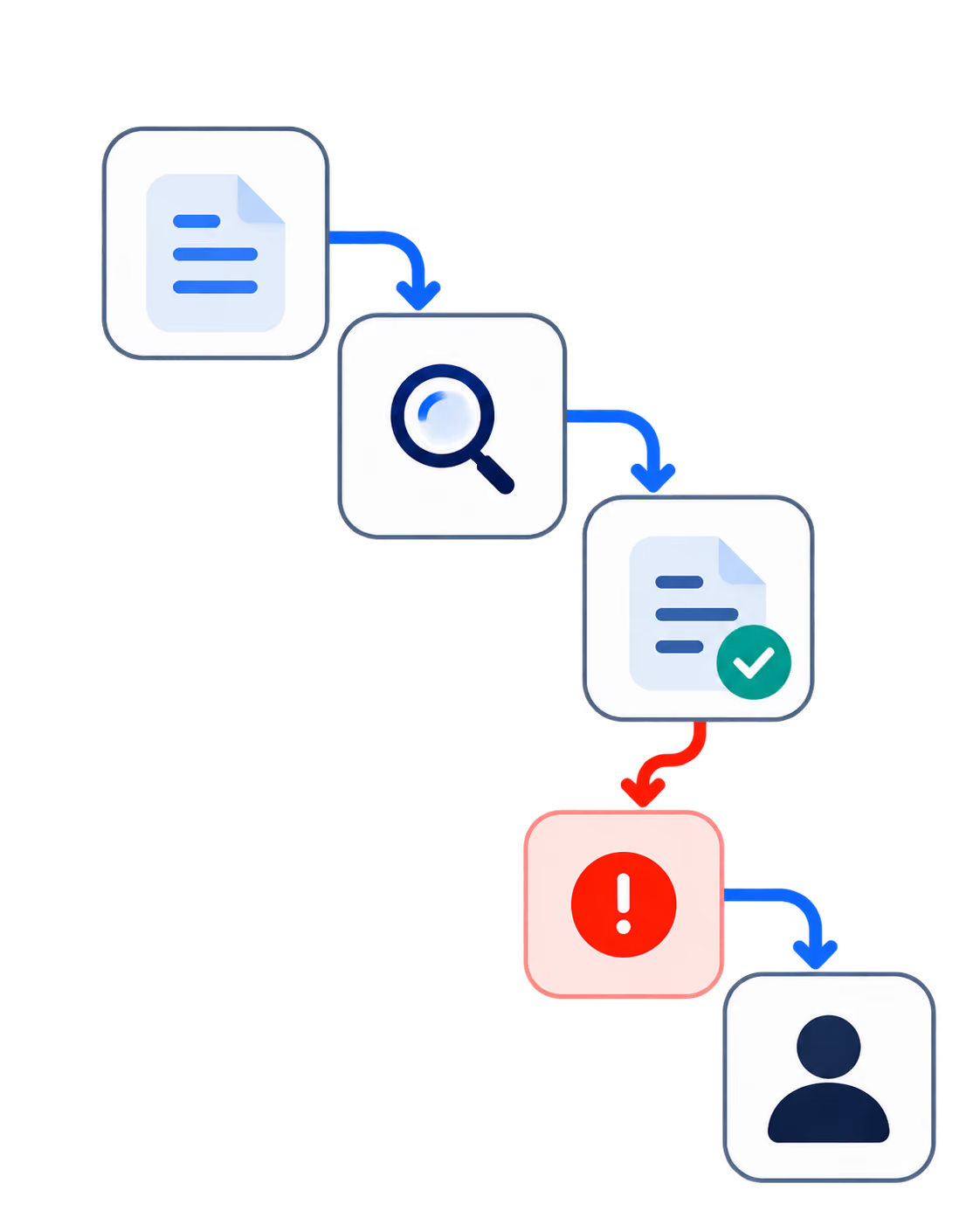
Each request should say exactly what is needed, for which entity and period, in what format, who owns it at the client and at the firm, and when it is due. Each request then moves through stages, from requested to received to reviewed and accepted, and a file arriving is only the second of those.
Many prepared-by-client items are reports the client runs from its own systems. The auditing standards require auditors to evaluate whether such information is complete and accurate before relying on it, and the PCAOB has repeatedly found that step missing. Capturing how each report was produced, at the moment it is uploaded, gives the auditor what that evaluation needs.
What Is a PBC List?
A PBC list is the list of schedules, reports, documents and other information an auditor asks a client to prepare or provide for an engagement. Some firms call it an audit request list or a document request list.
PBC is expanded two ways, "prepared by client" and "provided by client," and both describe the same list. Firms tend to use whichever they learned first.
This article covers PBC lists in financial statement audits run by accounting firms. Compliance audits such as SOC 2 engagements use PBC lists too, for policies, access listings and control evidence, and most of what follows applies to them as well.
One distinction runs through the rest of the article. Some PBC items are documents the client already holds, such as contracts, bank statements and board minutes. Many others are reports the client produces from its own systems for the audit: the trial balance, the receivables aging, the fixed asset additions listing, the payroll register. The second kind needs more care, because the auditor has to know the report is complete and accurate before relying on what it shows.
Who Prepares a PBC List, and When Is It Sent?
The audit team decides what to request, and the client prepares or provides it.
On the auditor's side, the requests follow from the engagement's scope, the risk assessment and the procedures planned in response to it. That is why a PBC list should be built for this year's audit rather than copied from last year's, even when most of the items turn out to be the same.
On the client's side, the controller or finance team owns most items, with others coming from HR, legal, tax or operations. Each needs a named owner at the client, because a request addressed to "finance" tends to wait.
Timing works best as a principle: send each request early enough that the information is ready when the related audit work begins. Published guides quote very different lead times because they are describing engagements of very different sizes, and no single number fits them all.
PBC List Example: Common Requests by Audit Area
The table below is an example, with typical requests for a financial statement audit grouped by area. The last column marks which items are reports the client produces from its systems and which are documents it already holds.
Treat it as a starting point. The engagement's scope, the entity, its industry, the risk assessment and the planned procedures decide what to request, and an item that was necessary last year may not be this year. Count the "prepared" rows: most of a typical PBC list consists of reports the client generates, and that proportion is what section 5 is about.
When building a firm's own template, link each request to the audit procedure it supports. A request with no procedure behind it is a candidate for removal, and a planned procedure with no request behind it is a gap the team will otherwise discover during fieldwork.
What Makes a Good PBC Request
A good request is one the client can satisfy on the first attempt, and the auditor can track and test.
Compare "bank documents" with "bank statements for all operating accounts of Entity A, January to December 2025, as PDFs downloaded from the bank portal." The second one can be satisfied on the first attempt, and checked when it arrives.
Due dates work better staggered than shared. Items needed for planning and early fieldwork come first, and items that depend on the year-end close come later, so the client's team is not asked for everything in the same week.
For reports the client produces from its systems, three more fields matter: the source system, the parameters used to run the report, and its as-of date. Section 6 explains why.
Why Prepared-by-Client Reports Need More Than a File
A report the client produces from its own systems is, in the standards' terms, information produced by the entity, and auditors have to evaluate whether it is reliable before relying on it.
What the Auditing Standards Require
The requirement appears in each major set of auditing standards:
- International Standards on Auditing. ISA 500, paragraph 9, requires the auditor using information produced by the entity to evaluate whether it is sufficiently reliable, including, as necessary, obtaining audit evidence about its accuracy and completeness and evaluating whether it is precise and detailed enough for the auditor's purposes
- US public company audits. PCAOB AS 1105, paragraph 10, requires the auditor to test the accuracy and completeness of company-produced information, or test the controls over it, and to evaluate whether it is precise and detailed enough
- US private company audits. The AICPA's SAS No. 142, which rewrote AU-C 500 for periods ending on or after December 15, 2022, requires auditors to evaluate information used as audit evidence whatever its source, considering attributes that include accuracy, completeness, authenticity and susceptibility to bias
For a PBC list, the consequence is simple. An accounts receivable aging is complete as a request when the file arrives. It is usable as evidence when the auditor knows the aging includes every invoice and that its figures are right.
What Audit Regulators Keep Finding
The PCAOB inspects audits of US public companies and broker-dealers, and it has flagged this step for years. Its April 2024 Spotlight on auditors' use of data and reports reported that approximately 17% of its comment forms in each of the 2021 and 2022 inspection cycles contained deficiencies where the auditor did not sufficiently test the accuracy and completeness of company-produced information. A comment form is the PCAOB's first written notice to a firm of a deficiency its inspectors observed.
The PCAOB's own examples read like PBC items. In one, the auditor used a listing of fixed asset additions to choose items for testing without establishing that the listing was complete, so errors or fictitious additions left off the list could not be found. In another, the auditor relied on pension participant data without testing its accuracy.
These findings cover public company audits. The underlying requirement applies to private company audits under the AICPA's standard, and the PCAOB first called out these failures in a 2013 practice alert.
Capturing How Each Prepared-by-Client Report Was Produced
The details that let an auditor test a report are easiest to capture at the moment it is produced, and the PCAOB says auditors should know them.
In the same Spotlight, the PCAOB reminds auditors to identify the sources of the underlying data in reports and how those reports are generated. Among the good practices it observed, at firms ranging from global networks to sole proprietorships, was a central repository of the reports used in the audit, with each report linked to the system that produced it, the approach to testing it, the testing done and the conclusion.
The details worth requesting with every prepared-by-client report:
The practical step follows from that. Ask for these details in the request itself, and record them when the file is uploaded. The repository the PCAOB describes then builds itself as the audit proceeds, instead of being reconstructed by a reviewer who has to go back to the client to ask how each report was run.
How to Track a PBC List: Request States
Each request moves through stages, and treating a received file as finished is where most follow-up work begins.
A request typically passes through these states:
- Requested: sent to its client owner, with a due date
- Received: a file has arrived
- Matched: the file is linked to the request it answers
- Provenance captured: for prepared reports, the source, parameters and dates are recorded
- Reviewed: the audit team has examined it
- Accepted or reopened: usable as evidence, or sent back with a specific question
- Closed: linked to the workpapers and filed
Most trackers stop at "received," which is where much of the chasing starts. A reopened item needs its own state, so that a replacement file does not quietly take the place of a version the team has already tested.
Why PBC Lists Break During Real Audits
Most PBC problems start with a request that was unclear, unowned or out of date:
- Last year's list, copied. Requests that follow last year's procedures rather than this year's risk assessment
- Vague requests. The client cannot tell what will satisfy the request, so it sends something and waits
- One deadline for everything. Every item lands at once, or none does
- No named owner. The request passes between finance, HR and legal while the due date passes
- Email as the tracking system. Files, questions and reminders scatter across threads
- "Received" treated as "done." The request is closed before anyone has looked at the file
- Replacement files. A new version overwrites one the auditor already tested
- Reports with no parameters. Completeness cannot be checked without going back to the client
- Exports edited before upload. The spreadsheet may no longer match the system it came from
- The wrong as-of date. A report run at the wrong point gives the wrong cut-off
- Schedules that do not tie to the ledger. The first check fails, and the item goes back
The last four cost the most, because each one sends the auditor back to the client after the item appeared finished. All four come down to information about how the report was produced, which is why capturing it with the file saves more time than any reminder schedule.
What to Automate in PBC Management, and What the Auditor Decides
Automate the logistics and the first screening, and leave the judgement about evidence with the auditor.
A PBC workflow can draft this year's requests from the engagement's planned procedures and last year's list, for the team to review. It can route each request to its client owner, match incoming files to the requests they answer, and check the entity, period and version. It can capture the provenance details at upload, flag files that do not tie to the ledger, draft targeted follow-ups, and keep the open-items view current without anyone rebuilding a spreadsheet.
What it cannot do is decide whether the evidence is sufficient and appropriate. Every standard above places that judgement on the auditor.
The same caution applies to the workflow's own output. Writing in 2026, the California Society of CPAs noted that when information produced by the entity feeds automated tools, the auditor still has to establish its accuracy and completeness, and has to guard against automation bias, meaning the tendency to accept automated results without questioning them. A well-built workflow shows the auditor what it checked and why it flagged an item, so the auditor can evaluate the flag rather than simply accepting it.
What Late PBC Items Cost an Audit Practice
Late, incomplete or unreliable PBC items push fieldwork past budget, and budget overruns usually end as write-downs.
The path is short. An item reopened after testing means rework. Rework that runs past the engagement budget is time the firm either bills and has questioned, or writes off before the invoice goes out. Late items also compress the end of the engagement, leaving the manager and partner less time for review just when the remaining issues are hardest. Either way it shows up in the practice's realization, which our guide to recovering realization with AI review covers. That chain is our reasoning, and we have not quoted a figure for it, because the published ones come from vendors.
How Codebridge Builds PBC Workflows
Our PBC and audit evidence intake workflow drafts this year's requests from the engagement's procedures, routes each to its client owner, and matches incoming files to the requests they answer. It checks each file's entity, period and version, captures how each prepared-by-client report was produced at the moment it is uploaded, and delivers every item to the reviewer with its evidence and status. That builds the kind of report repository the PCAOB describes as good practice, as the audit runs. The auditor decides what is sufficient.
One workflow goes live in three weeks, wired into the firm's audit and document systems, and your firm owns the repository, the prompts and the configuration from day one. For collecting client documents outside the audit, our guide to automating document processing covers the wider workflow.
The closest reference we can offer, labelled for what it is: Knowledge Cloud, built for a Big Four tax and legal practice, runs an expert review queue with an immutable audit log, so a senior practitioner approves each output before the firm acts on it. A knowledge platform rather than an audit system. What it demonstrates is the review and audit-trail pattern.
Our founding team spent more than a decade at KPMG.
If you want to find out where your PBC items stall, book a 20-minute call.

















Heading 1
Heading 2
Heading 3
Heading 4
Heading 5
Heading 6
Lorem ipsum dolor sit amet, consectetur adipiscing elit, sed do eiusmod tempor incididunt ut labore et dolore magna aliqua. Ut enim ad minim veniam, quis nostrud exercitation ullamco laboris nisi ut aliquip ex ea commodo consequat. Duis aute irure dolor in reprehenderit in voluptate velit esse cillum dolore eu fugiat nulla pariatur.
Block quote
Ordered list
- Item 1
- Item 2
- Item 3
Unordered list
- Item A
- Item B
- Item C
Bold text
Emphasis
Superscript
Subscript