AI Summary
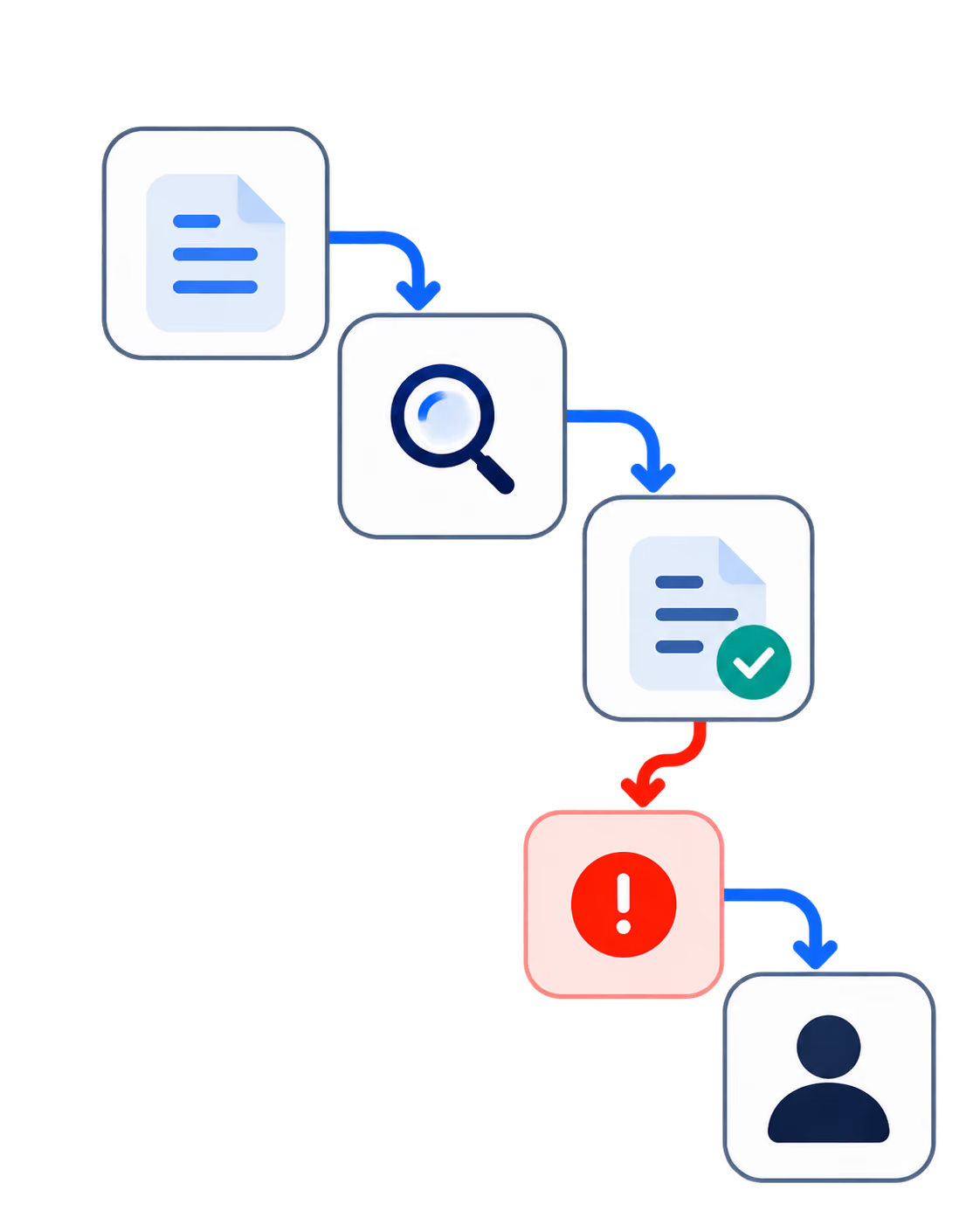
AI automation works in a small accounting firm when you pick the right work first. The tasks that pay back fastest run often, follow a rule someone can check afterward, and stay inside systems your firm already controls. Most firms under 50 people start somewhere else, spend three weeks on it, and quietly abandon the thing by April.
Three kinds of work belong at the back of the queue or nowhere. Work that turns on professional judgment. Work where the client relationship is the product you are selling. Work your firm has never standardized, because automating an inconsistent process locks in whichever version the person who built it happened to use that week.
Before you build anything, run four questions against the candidate: how often does it run, can someone check the output, does the work stay inside systems you control, and what does it cost if it fails silently for a month? A task that fails any one of those belongs later. This article covers what to skip, what pays back first, and how to tell them apart.
Why AI Automation Advice for Small Firms Falls Short
Two genres of advice reach a small firm owner, and each answers half the question.
The first genre tells you to find a repetitive task and wire it up. The AICPA's own practice-management guidance runs this way: watch your team's daily work, spot the tasks where someone copies data from one place to another, then build the automation in a no-code tool and test it with sample data. That advice holds up. It also says nothing about which tasks you should leave alone, which is where firms lose money.
The second genre ranks products. You get a table of platforms, per-seat prices, and seat minimums, and you learn which tool suits a tax-heavy practice versus a bookkeeping-heavy one. Useful when you already know what you are automating. Useless when you do not, because it answers a purchasing question you have not reached yet.
Thomson Reuters Institute surveyed tax and accounting professionals for its 2025 GenAI in Professional Services report and found that among firms already using generative AI, just over half reach for general-purpose tools like ChatGPT, while fewer than one in five use something built for the profession. Read that as a description of how small firms behave. They are not evaluating platforms. Someone opens a chat window, gets a useful answer, and the firm's AI strategy becomes whatever that person does next.
You can improve on that without buying anything. Start by deciding what belongs off the list.
What to Skip: Three Kinds of Work That Should Stay Manual
Work That Turns on Professional Judgment
A tax position depends on facts that live outside the file. So does a materiality call, a going-concern assessment, and most of what a client pays your name for. You can automate the retrieval that feeds those decisions. Pull the prior-year comparison, assemble the support, surface the exceptions. The decision itself stays with the person whose license is attached to it.
Firms get into trouble when the automation produces something that looks finished. A clean-looking output invites less scrutiny than a messy one, and a junior reviewer will sign off on a well-formatted wrong answer faster than a handwritten one.
The line sits in a workable place if you draw it around who carries the consequence. Pulling three years of comparatives into one view, flagging the accounts that moved more than a threshold, assembling the support a reviewer would have gathered anyway: none of that commits your firm to a position. Choosing the position does. Keep the second thing manual and you can automate a surprising amount of the first without anyone losing sleep.
Work Where the Client Relationship Is the Product
Collections on an account you are handling delicately. The email to the client whose business is struggling. Advisory conversations where half the value is that a partner picked up the phone.
The failure mode here differs from an error. An automated reminder that goes out on schedule to a client mid-dispute does not produce a visible mistake. It produces a client who feels processed, and you find out six months later when they move their work. Nothing in your logs will show you that.
You can still automate the part around it. Build the trigger that tells a partner an account has aged past 60 days and let the partner decide what happens next. The system watches, the person acts. That split gets you most of the reliability without putting a template in front of a relationship you spent nine years building.
Work Your Firm Has Not Standardized
If two people in your firm do the same task differently, you do not have a process. You have two processes and a preference. Automating one of them makes the other person's version wrong by decree, and you will spend more time relitigating that than the automation ever saves.
This is the most common failure at 5 to 50 people and the only one on this list you can fix inside a quarter. Write the process down first. Run it manually for a month. If it survives contact with tax season, then automate it.
Watch for the version of this that hides. A task looks standard because one person has done it the same way for years, and the moment that person takes leave you discover the process lived in their head rather than in your firm. Automating from a single practitioner's habits produces something nobody else can maintain or explain. Ask a second person to run the task from your written version before you build anything on top of it.
What Pays Back First in a Small Accounting Firm
The shortlist below runs in most firms under 50 people. Rank your own version by how often it runs and how clearly someone can check the result.
Document and receipt intake. Client sends a folder of mixed files. Someone renames, sorts, and files them. High frequency, obvious right answer, entirely inside your systems. This pays back faster than anything else on the list and it is the workflow most firms already have partial tooling for. Check what your document platform does before you build, because you may be paying for half of this already.
Reconciliation exceptions. Your ledger software handles the reconciliation. The part that eats hours is the exceptions queue: the items that did not match, opened one at a time by a person working out what happened. Automating the triage and the routing removes more hours than automating the matching. Sort the queue by likely cause, send each group to whoever handles that cause, and the same volume of exceptions takes a fraction of the attention.
Recurring client requests and chasing. The same six documents from the same clients every quarter, and the follow-ups when they do not arrive. Rule-driven, high volume, and the one place where a light touch matters. Chase on documents, never on money, unless you have checked the client's situation first.
Engagement letter and onboarding setup. A new client triggers records in four systems, a folder structure, and a welcome sequence. It runs less often than the others. It runs identically every time, which makes it cheap to build and easy to verify. Firms that skip this one usually do so because onboarding feels rare. Count how many new clients you took last year and how many systems each of them touched before you decide it is rare.
Recurring internal reporting. WIP, realization, receivables ageing, capacity by staff member. Partners ask for these on a cycle, someone assembles them by hand, and the assembly is the whole job. The payback compounds in a direction people underrate: once the numbers arrive without anyone building them, partners start asking for them monthly rather than when something has already gone wrong.
The Payback Test: Four Questions Before You Build
Run these against any candidate before anyone opens a tool.
How often does it run? Setup takes a week of someone's attention, often more once you count the false starts. A task that runs twice a year will not repay that. A task that runs every morning repays it before the quarter closes. Season distorts this, so count annual runs rather than runs in March.
Can someone check the output, and will they? Those are two questions. Most firms answer the first and skip the second. Name the person, name the frequency, and put it in the same calendar entry as the work it checks. A check that depends on someone remembering to look is not a check, and it will hold for about five weeks.
Does the work stay inside systems you control? Client financial data moving through a tool your firm has not reviewed creates an exposure that has nothing to do with whether the automation works. Answer this before you build, because retrofitting it means rebuilding.
What happens if it fails silently for a month? Loud failures announce themselves. A broken automation that stops running sends someone an error, and you fix it that afternoon. The expensive version keeps running and produces slightly wrong output nobody questions, because the format still looks right and the file still lands on schedule. A misfiled document surfaces in a year. A miscoded transaction surfaces in a review. Work out what the month costs you, then decide whether you need a check that catches it in a week.
Where Small Firm Automation Tools Stop and a Build Starts
Your practice management platform handles the workflows its vendor anticipated, and at 5 to 50 people that covers more ground than most owners expect. Buy those. Turn on the features you are already paying for before you commission anything.
What stays manual afterward tends to look the same across firms. Work that crosses two systems the vendor never connected. Work that follows a rule specific to how your firm handles a particular client type. Nobody builds that into a product, because the market for it is you.
At that point a firm either lives with the manual version or builds something. Living with it is often the correct answer at this size, and any partner telling you otherwise is selling.
When a firm does decide to build, the shape of the engagement matters more than the technology in it. Codebridge came out of KPMG, and we scope this work the way an audit gets scoped: fixed price, fixed dates, and a prototype built on your own data before you commit to anything larger. Your firm owns what we build. If we stop working together, the thing keeps running and someone else can maintain it. If a workflow on your list turns out to be one you should keep manual, we will say so on the call, which takes fifteen minutes.
















Heading 1
Heading 2
Heading 3
Heading 4
Heading 5
Heading 6
Lorem ipsum dolor sit amet, consectetur adipiscing elit, sed do eiusmod tempor incididunt ut labore et dolore magna aliqua. Ut enim ad minim veniam, quis nostrud exercitation ullamco laboris nisi ut aliquip ex ea commodo consequat. Duis aute irure dolor in reprehenderit in voluptate velit esse cillum dolore eu fugiat nulla pariatur.
Block quote
Ordered list
- Item 1
- Item 2
- Item 3
Unordered list
- Item A
- Item B
- Item C
Bold text
Emphasis
Superscript
Subscript