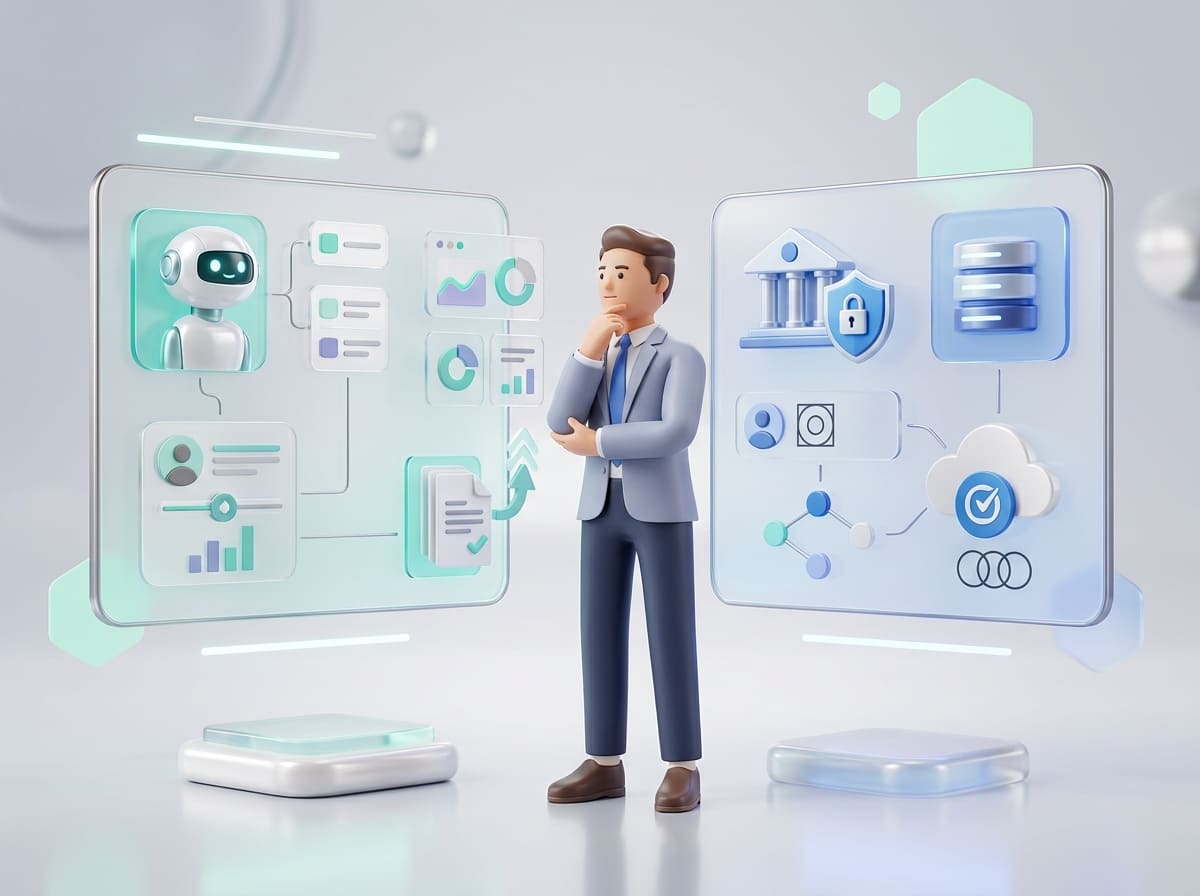
There’s a quiet revolution happening in software development, and it’s not coming from deep in a codebase. It’s happening in the hands of marketers, product managers, designers, and operations teams. People who, just a few years ago, would have been entirely dependent on developers to bring digital ideas to life are now building apps, automating workflows, and deploying AI models, all without writing a single line of code.
Welcome to 2026, where No-Сode/Low-Сode Development Services and AI-driven platforms are democratizing software creation. It’s a structural shift in how companies innovate and ship products. The results? Faster MVPs, reduced development bottlenecks, and entire departments empowered to solve problems autonomously.
But what exactly are no-code tools? How are they different from low-code? How does AI fit into all this? And are these tools here to stay, or just a stopgap for early-stage builders?
Let’s dive into what’s driving this shift, how it's changing software development, and what smart businesses are doing to ride the wave (without wiping out).
What Are No-Code Tools and Why Are They Trending?
At their core, no-code tools allow users to build digital products, websites, mobile apps, automation workflows, databases, and even AI tools using visual interfaces instead of programming languages. Low-code platforms fall into a similar category but allow some custom scripting to extend or refine functionality.
In 2026, these platforms are everywhere. From small startups to Fortune 500 enterprises, companies are leaning on no-code to deliver faster, cheaper, and more flexibly.
Why Now? Several trends have converged to make this the moment for no-code:
- Developer shortages have made traditional development timelines unsustainable.
- Remote work demands fast, asynchronous tool building.
- Business users want more control over their tools and workflows.
- AI integration has made complex functions more accessible than ever.
The no-code space is booming because it enables two things modern businesses crave: speed and adaptability.
How No-Code Tools Accelerate Product Development
Let’s say you're a founder with an idea for a B2B SaaS dashboard. In a traditional setup, you'd spend weeks (maybe months) defining the product, hiring developers, iterating on builds, and launching slowly.
With a no-code platform like Bubble or Glide, you can build your MVP yourself or with a lean internal team, in days or weeks. Not only that, but you can integrate Stripe for payments, SendGrid for email, and Google Sheets for data with a few clicks.
The result? You’re validating ideas in real-time, collecting user feedback faster, and making changes without waiting for your next dev sprint.
Benefits include:
- Reduced time-to-market
- Lower development costs
- Greater experimentation
- More inclusive teams, anyone can contribute
It’s a game-changer, especially in the early stages of product development.
No-Code Automation Tools for Workflow Optimization
While app development often gets the spotlight, no-code automation tools are quietly transforming how businesses operate behind the scenes.
Platforms like Zapier, Make (formerly Integromat), and n8n let teams automate tedious, repetitive tasks without engineering help.
What They Do
- Move data between tools
- Send automated emails and notifications
- Generate reports or dashboards
- Trigger workflows based on user behavior
- Sync data across platforms
These tools are especially powerful for startups and operations teams who want to scale processes without hiring more staff or coding custom scripts.
Popular Use Cases
- Lead Management
Automatically add Typeform submissions to HubSpot, send a Slack notification to sales, and assign a task in Trello. - Customer Onboarding
Trigger a welcome email sequence when a user signs up, add them to a CRM, and notify the account manager. - HR and Recruiting
When a candidate fills out a form, update the candidate database, notify HR in Slack, and schedule an interview using Calendly. - E-commerce Workflows
Sync order data from Shopify to Google Sheets, notify the fulfillment team, and update inventory in Airtable.
This is where no-code shines, not just in flashy apps, but in removing friction from daily work.
The Rise of No-Code AI Tools in Software Development
We used to think of AI as something only PhDs and big tech companies could touch. But no-code AI tools are rewriting the rules, making it possible for business users to build, test, and deploy machine learning models with minimal technical skill.
In 2026, the landscape is exploding with tools like:
- Akkio – Train and deploy machine learning models with spreadsheets.
- Peltarion – Build custom neural networks via drag-and-drop.
- Obviously AI – Create predictions from data in seconds, no coding required.
Making Machine Learning Accessible
Picture this: your marketing team wants to identify customers most likely to churn. Instead of waiting for data science to build a model, they upload historical data into a no-code AI platform and generate predictive insights by the end of the day.
.avif)
This accessibility empowers non-technical teams to:
- Build churn or sales prediction models
- Analyze customer segmentation
- Create dynamic content personalization
- Automate customer service with AI-driven chatbots
- Generate insights from customer feedback or support tickets
The beauty of no-code AI is that it brings machine learning to business problems, not just technical ones.
No-Code App Development Tools You Should Know
Let’s talk about the heavy-hitters in no-code app creation. These platforms enable full-scale development for web and mobile applications.
Here are some top choices for 2026:
- Bubble – Arguably the most powerful no-code platform for web apps. Ideal for SaaS MVPs.
- Adalo – Mobile-first and perfect for building native apps with smooth UX.
- Glide – Great for internal tools and simple client-facing apps, using Google Sheets as a backend.
- Draftbit – For design-to-code mobile app workflows, perfect for teams that want handoff flexibility.
When No-Code App Development Works Best
These tools are ideal for:
- MVPs and market validation
- Internal tools or dashboards
- E-commerce or booking apps
- Educational platforms
- Membership communities
But they’re not always the right choice for:
- Apps needing real-time data sync at scale
- Deep integrations with legacy systems
- Extremely customized frontend interactions
- Highly regulated environments with strict compliance
Still, for 80% of business needs, no-code apps cover more ground than most people expect.
How No-Code and AI Are Reshaping the Dev Team Structure
This is where things get interesting. The rise of no-code and AI isn’t just about tools it’s about culture and collaboration.
Traditionally, product development flowed from business → designers → engineers → QA → release. Each step depended on another, often with long feedback loops and tight bottlenecks.
%20(1)%20(1).avif)
In 2026, with no-code in the mix, we’re seeing hybrid workflows emerge:
- Designers build working prototypes in Webflow.
- Marketers automate campaign workflows using Zapier.
- Product managers launch experiments in Bubble.
- Sales ops create tools in Airtable without waiting for IT.
The Upside
- Less dependency on engineering for basic features
- Empowered teams across departments
- Faster iterations and launches
- Engineers focus on high-value architecture and security
But this evolution also requires new roles and clear expectations:
- Who owns the product logic if it's built in no-code?
- Who ensures version control, scalability, and testing?
- How do you support or rebuild later in traditional code?
Challenges and Cautions
No-code isn't a silver bullet. Without planning, it can create problems:
- Security Risks
If every team is building tools, how do you ensure secure access to data? - Vendor Lock-in
Moving away from platforms like Bubble or Glide later can be costly or technically tricky. - Testing and QA Complexity
Most no-code tools lack the same unit testing, CI/CD, or QA frameworks that dev teams rely on. - Scalability Issues
What works for 1,000 users may break at 100,000.
To mitigate this, companies should treat no-code the same way they treat code: with reviews, documentation, permissions, and strategic oversight.
Final Thoughts: Build Faster, But Build Smart
We’re in an era of unprecedented access to technology. With no-code tools and AI platforms, the power to create no longer belongs solely to engineers; it’s now in the hands of creators across the organization.
Used well, no-code platforms:
- Reduce time to market
- Empower more people to solve problems
- Encourage experimentation and innovation
- Unblock teams who previously had to wait for developer cycles
- Free up engineering teams to focus on complexity, security, and scale
But like any powerful tool, no-code must be used wisely. Startups should use it to validate ideas. Enterprises should use it to improve internal efficiency. And everyone should view it as a layer, not a replacement.
The future of software development isn’t about coding vs no-coding. It’s about picking the right approach for each job and combining them to move smarter, not just faster.
We help growing teams harness the speed of no-code and the intelligence of AI, without sacrificing performance, security, or long-term scalability. Get in touch with Codebridge and let’s map out the smartest way to build your next product.
FAQ
How are AI and low-code tools transforming software development?
AI and low-code tools are transforming development by enabling faster prototyping, automating repetitive tasks, and reducing the need for deep coding expertise. Teams can deliver applications more quickly and focus on strategic features rather than manual coding, improving overall productivity.
Why are low-code platforms becoming popular among startups?
Low-code platforms help startups build functional apps without large engineering teams. They reduce development costs, shorten delivery timelines, and allow non-technical team members to participate in app creation. This speed and flexibility make low-code ideal for early-stage product launches.
How does AI improve the capabilities of low-code development tools?
AI enhances low-code platforms by generating code snippets, suggesting workflows, automating testing, and optimizing UI layouts. These intelligent features allow teams to build more robust applications with minimal effort. AI also helps detect errors early, improving overall software quality.
What types of applications can businesses build using AI-powered low-code tools?
Businesses can build internal dashboards, customer service apps, workflow automation tools, e-commerce interfaces, CRM modules, and even AI-driven analytics platforms. These tools support both simple and complex use cases, making them versatile across industries.
How do AI and low-code tools help reduce software development costs?
They reduce costs by minimizing manual coding, accelerating development cycles, and lowering the demand for large technical teams. Automated workflows and prebuilt components cut labor hours, allowing companies to allocate resources more efficiently and focus on core business priorities.
Are AI and low-code platforms reliable enough for enterprise-level software?
Yes, modern AI-driven low-code platforms offer strong scalability, security, and integration capabilities. They support enterprise-grade architectures, compliance standards, and custom extensions. With proper governance and testing, these tools can power high-performance, mission-critical applications.














Heading 1
Heading 2
Heading 3
Heading 4
Heading 5
Heading 6
Lorem ipsum dolor sit amet, consectetur adipiscing elit, sed do eiusmod tempor incididunt ut labore et dolore magna aliqua. Ut enim ad minim veniam, quis nostrud exercitation ullamco laboris nisi ut aliquip ex ea commodo consequat. Duis aute irure dolor in reprehenderit in voluptate velit esse cillum dolore eu fugiat nulla pariatur.
Block quote
Ordered list
- Item 1
- Item 2
- Item 3
Unordered list
- Item A
- Item B
- Item C
Bold text
Emphasis
Superscript
Subscript