The security review came back on a Thursday with a request: send us the audit log for patient record access, filtered by user, for the past 90 days. The mobile team had encryption in transit, encryption at rest, biometric unlock, and a SOC 2 Type II report from their cloud provider. They could not answer that question, because the app wrote access events to a local analytics SDK that rolled off after 30 days and did not distinguish a chart view from a screen impression, which put six weeks of engineering work between that email and a signed contract.
Consider a hypothetical mid-size telehealth company in that position. The engineering lead would open the ticket expecting a query. They would find instead that the question requires a schema that does not exist, an undocumented retention policy, and a decision about whether the analytics vendor holding those events ever signed a Business Associate Agreement. Each of those would take a different team to resolve, and none of them would be parallelizable, because the schema decision gates the retention decision, which gates the vendor conversation.
KEY TAKEAWAYS
Encryption is rarely the blocker. Mobile health apps stall in review on audit logging granularity and Business Associate Agreement coverage, both of which are architectural decisions you make early and discover late.
The Security Rule specifies capabilities. Its audit control requirement asks for mechanisms that record and examine activity in systems containing ePHI, so your reviewer will test what your system can answer instead of reading your checklist.
Any third-party SDK in a mobile health app can be a BAA gap. Crash reporters, analytics libraries, push notification services, and session replay tools all touch data paths that may carry ePHI.
HHS OCR logged 725 breaches of 500 or more records in 2023, which is why reviewers arrive at your app already assuming the failure mode is real.
Retrofitting audit logs costs more than building them, because the retrofit requires backfilling identity context that the original event payloads did not capture.
The Hidden Problem: Reviews Test Your Data Model
Teams prepare for HIPAA review the way they prepare for a pen test. They harden transport, rotate keys, enable device-level encryption, and document their TLS configuration. Then the review asks a question that no amount of cryptography answers: who looked at this patient's record, when, from what device, and can you prove it six years from now.
The HIPAA Security Rule organizes its requirements into administrative, physical, and technical safeguards. The technical safeguards include access control, audit controls, integrity, and transmission security. Encryption sits inside transmission security and, as an addressable implementation specification, inside access control. Audit controls sit on their own, and the requirement is that a covered entity implement hardware, software, or procedural mechanisms that record and examine activity in information systems containing or using ePHI. Examine is the operative word. A log you cannot query does not satisfy an examination requirement, and a reviewer who asks for a 90-day access history by user is testing that capability.
725healthcare data breaches affecting 500+ records reported to HHS OCR in 2023
That figure comes from the HHS OCR Breach Portal, which publishes reported breaches of 500 or more individuals along with the covered entity, the breach type, and the location of the breached information. Reading the portal itself is worth 20 minutes of your time, because you can see in the entity-type and location columns what reviewers have internalized. When a reviewer asks how you would detect unauthorized access, they are asking whether your system produces the evidence that a breach investigation requires. Our reading of the portal is that the volume shapes reviewer posture: someone processing that many incidents does not treat your audit logging question as a formality.
!
Signing a BAA with your cloud provider covers the infrastructure layer. It does not cover the crash reporter that captures a stack trace containing a patient identifier, or the analytics SDK that logs a screen name like PatientChart_ICD10_E119.
The second stall pattern is BAA coverage, and it is structurally harder than the first because it involves parties outside your engineering org. A mobile health app ships with dependencies. Some of them phone home. Under HIPAA, a vendor that creates, receives, maintains, or transmits protected health information on your behalf is a business associate, and you need a signed agreement before that data flows. Your reviewer goes past whether you have BAAs and asks whether you have an inventory of each third party that touches a data path carrying ePHI, and whether that inventory matches your dependency manifest.
Most teams discover the gap when someone opens the Podfile or the Gradle build and starts counting. The diagram below maps where ePHI travels in a typical healthtech mobile stack, usually broader than the architecture doc suggests:
Patterns We Observe in Stalled Reviews
Three failure shapes come up repeatedly, and each one has a different fix window.
The event schema that was designed for product analytics
Imagine a healthtech team that instrumented their app with a standard product analytics setup during the MVP phase. Events would carry a screen name, a timestamp, a session ID, and a device identifier. That schema would answer the product questions the team had: which screens do users visit, where do they drop off, how long is a session. When the compliance review arrives, the team would find that the schema cannot distinguish a user viewing their own record from a clinician viewing a patient's record, because the event did not carry a subject identifier separate from the actor identifier. Backfilling that distinction would require a schema migration, a change to each emitting call site, and a decision about what to do with the historical events that lack the field.
The fix window here is early. Once a year of events exist under the old schema, the retrofit runs far longer than a sprint.
Retention that follows the analytics vendor's default
HIPAA's documentation retention requirement runs six years from creation or last effective date, per the Security Rule's administrative provisions. Analytics platforms commonly default to shorter windows, because their business is behavioral trend analysis rather than forensic reconstruction. A team that stores audit events only in their analytics tool inherits that vendor's retention policy without deciding to. When the reviewer asks whether you can produce access logs from 2023, the vendor's data lifecycle configuration answers for you.
The BAA inventory that stopped at the cloud provider
Push notification services are the case that surprises teams most often. If a notification payload contains anything beyond a generic prompt, the notification service is transmitting ePHI. "Your lab results from Dr. Chen are ready" identifies a patient, a provider, and a service type. The fix is straightforward at design time, send a content-free notification and fetch the payload after the app authenticates, and expensive at review time, because changing notification content means changing the backend, the app, and the user-facing copy across each notification type you ship.
The Pattern: Compliance Readiness Is an Instrumentation Property
Teams that clear review quickly share one structural trait. They treat audit logging as a first-class data pipeline with its own schema, its own storage, its own retention policy, and its own query interface, separate from the product analytics stack. The teams that stall treat audit logging as a feature of whatever telemetry tool they already installed.
From our work with healthtech teams: When we built a mobile genetic data platform for a HealthTech/Genetics startup, handling personalized medicine data across iOS and Android, we hit the same wall the review process exposes. Genetic data carries an unusual property: it identifies the user and their biological relatives, and it does not expire as an identifier. That forced us to decide, before writing the first data-access call, what an access event needed to record and where those events would live. We built the secure data sharing flow, the mechanism that lets a user share their genome with a healthcare lab, as an auditable transaction from the start, capturing the actor, the subject, the recipient lab, and the scope of what was shared in one event. The sharing flows are where the audit schema gets tested: an event model that can describe a three-party disclosure can describe the simpler cases.
The pattern comes from our healthtech mobile engagements where compliance review was a delivery gate, and the common variable across the ones that moved fastest was whether we modeled audit events before the first data-access endpoint shipped.
The comparison below shows what separates an audit pipeline from an analytics pipeline, which is the distinction most stalled reviews turn on:
PropertyProduct analytics pipelineAudit log pipelinePrimary questionWhat do users do?Who accessed which record?Actor vs subjectActor onlyActor, subject, and recipient tracked separatelyRetentionVendor default, often 12-25 monthsSix years, controlled by youMutabilityEvents can be reprocessed or droppedAppend-only, tamper-evidentQuery surfaceDashboards and cohortsPer-user, per-record, per-date-range exportBAA statusFrequently unsignedSigned before first event
The Playbook: Seven Steps to a Reviewable Mobile Stack
Step 1: Run the dependency-to-BAA reconciliation
What to do: Export your dependency manifest (Podfile.lock, build.gradle, package.json for the React Native or Flutter layer) and your list of signed BAAs. Put them side by side. For each dependency that makes a network call, mark it BAA-covered, BAA-needed, or no-ePHI-path. The third category requires you to prove the negative, so write down why.
What good looks like: Each network-capable dependency has a row and a decision. A stack with 40 direct dependencies typically produces 6 to 12 rows that need a BAA decision, and 2 to 4 of those come back as gaps.
Common failure mode: Stopping at direct dependencies. Transitive dependencies pull in network clients too. Run the full dependency tree.
Step 2: Write the audit event schema before you write the migration
What to do: Define a single event type with these fields at minimum: actor identity, actor role, subject identity (the patient whose record is involved), record type, action verb, timestamp with timezone, source device identifier, and access result (granted, denied, partial). Product analytics schemas omit the subject field, and reviewer questions depend on it.
What good looks like: You can express the three-party disclosure case in one event: clinician A shared patient B's lab result with lab C. If your schema needs two events to describe that, the join logic becomes your audit trail, and joins fail under scrutiny.
Common failure mode: Modeling the schema around your current screens. Screens change. Model it around the data-access operations your API exposes.
Step 3: Apply the retention threshold test
What to do: For each system holding audit events, look up its configured retention window and compare against six years. If the window is shorter, the system cannot be your system of record. Worked example: an analytics platform on a 25-month retention plan covers roughly 34% of the required window, which means 65 months of your obligation sits nowhere.
What good looks like: Audit events land in storage you control (object storage with lifecycle policies, or a database with an explicit archival job) and you keep the retention configuration in version control rather than a vendor dashboard.
Common failure mode: Assuming a backup covers it. Backups are point-in-time snapshots optimized for restore, and they do not produce per-user historical exports.
Step 4: Convert notification payloads to content-free triggers
What to do: Audit each push notification template. Any template containing a provider name, a condition, a test type, a medication, or an appointment specialty is transmitting ePHI through a third party. Replace the content with a generic trigger and fetch the detail post-authentication.
What good looks like: The notification says something like "You have a new update" and the app fetches the specific content after biometric or credential authentication. The signal that tells you to act: a marketer writes your notification copy without compliance review.
Common failure mode: Fixing the payload but leaving the notification title. Titles render on the lock screen the same as bodies do.
Step 5: Build the reviewer query before the reviewer asks
What to do: Write and check in a script that takes a user identifier and a date range and outputs every access event involving that user, both as actor and as subject. Run it against production quarterly. Time how long it takes to produce output.
What good looks like: Under 10 minutes from request to CSV, with no engineer writing ad hoc SQL. If producing this takes more than a day, you will lose weeks during review, because reviewers ask follow-up questions and each round trip costs you another day.
Common failure mode: Building it as a one-off during review prep and never running it again. Schema drift breaks it silently.
Step 6: Separate the local cache decision from the encryption decision
What to do: Inventory what your app persists on device: Core Data stores, Room databases, Keychain and Keystore entries, cached API responses, image caches holding scanned documents, and screenshot caches the OS generates on backgrounding. For each, decide whether it needs to exist locally at all. Device encryption protects data at rest under a locked device, and it does not protect against a jailbroken device or a backup extraction.
What good looks like: A written list where each cached item has a justification and a purge trigger (logout, session timeout, app backgrounding). Screenshot caches need explicit handling, since both iOS and Android capture the app view on backgrounding by default.
Common failure mode: Treating "we use the Keychain" as a complete answer. The Keychain holds credentials well, and your cached patient list lives somewhere else.
Step 7: Assign an owner to the compliance-code interface
What to do: Name one engineer who reviews each new dependency, each new notification template, and each new data-access endpoint for compliance impact. Add it to the PR template as a checkbox with that person as required reviewer for the paths that matter.
What good looks like: The reviewer catches things at PR time. The measurable signal that you need this: if your last compliance question required a meeting to figure out who could answer it, you already pay this cost, unpredictably and during review.
Common failure mode: Assigning it to the compliance lead rather than an engineer. The compliance lead cannot read a Gradle file, and the interface fails on the technical side.
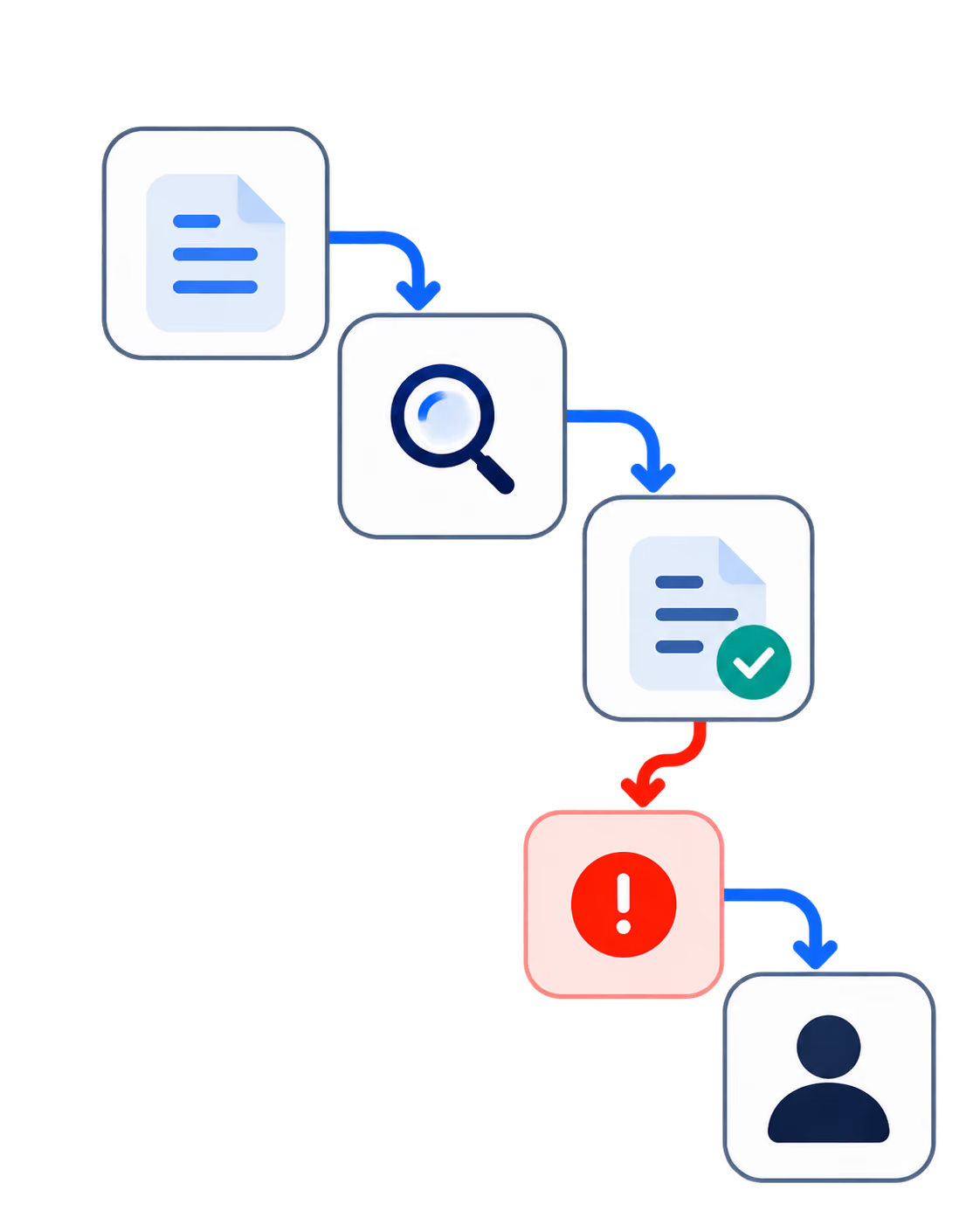
The sequencing matters, because steps 1 through 4 gate each other in ways that are easy to miss. The diagram below shows the dependency order:
Close
That Thursday email asking for a 90-day access history filtered by user is the question your architecture either answers or does not. The team in the opening scenario had the encryption controls a reviewer could ask about and still lost six weeks, because the question tested their event schema and their vendor inventory rather than their cryptography.
Tomorrow morning, run step 1: export your dependency manifest next to your signed BAA list and mark each network-capable library. That takes under 30 minutes and it will tell you within the hour whether you have a two-week problem or a two-month one. Wednesday, write the audit event schema from step 2, including the subject field. By Friday, run the reviewer query from step 5 against production and time it. Three days of work tells you where you stand, instead of finding out during a review with a signed contract waiting on the other side.
Not sure where your mobile stack stands?
Talk to our team about auditing your healthtech app's audit logging and vendor coverage.
Diagnostic Checklist: Score Your Review Readiness
Answer each question about your current production system. Count your Yes answers.
Can a non-engineer produce a per-user access history for an arbitrary 90-day window without opening a query console? Yes / No
Does at least one third-party SDK in your mobile app make network calls without a signed BAA on file? Yes / No (Yes counts as a risk point)
Do your audit events distinguish the acting user from the patient whose record was touched, in a single event row? Yes / No
Is your longest audit-event retention window configured in a vendor dashboard rather than in version-controlled infrastructure code? Yes / No (Yes counts as a risk point)
Does any push notification you send contain a provider name, condition, medication, or appointment type? Yes / No (Yes counts as a risk point)
When was your last new dependency added, and did anyone assess its ePHI data path before merge? Assessed / Not assessed
If a device were extracted from a backup today, how many patient records would be readable from cached local storage? Zero / Some / Unknown (Unknown counts as a risk point)
Scoring: 0 to 1 risk points, you are review-ready and should run step 5 quarterly to stay there. 2 to 3 risk points, budget four to six weeks before your next review and start with step 1. 4 or more risk points, treat audit logging and vendor inventory as a project with a named owner rather than a task, because the fixes have dependencies on each other and running them in parallel will cost you rework.
REFERENCES
HHS: HIPAA Security Rule Laws and Regulations
HHS Office for Civil Rights: Breach Portal, Cases Currently Under Investigation
















Heading 1
Heading 2
Heading 3
Heading 4
Heading 5
Heading 6
Lorem ipsum dolor sit amet, consectetur adipiscing elit, sed do eiusmod tempor incididunt ut labore et dolore magna aliqua. Ut enim ad minim veniam, quis nostrud exercitation ullamco laboris nisi ut aliquip ex ea commodo consequat. Duis aute irure dolor in reprehenderit in voluptate velit esse cillum dolore eu fugiat nulla pariatur.
Block quote
Ordered list
- Item 1
- Item 2
- Item 3
Unordered list
- Item A
- Item B
- Item C
Bold text
Emphasis
Superscript
Subscript