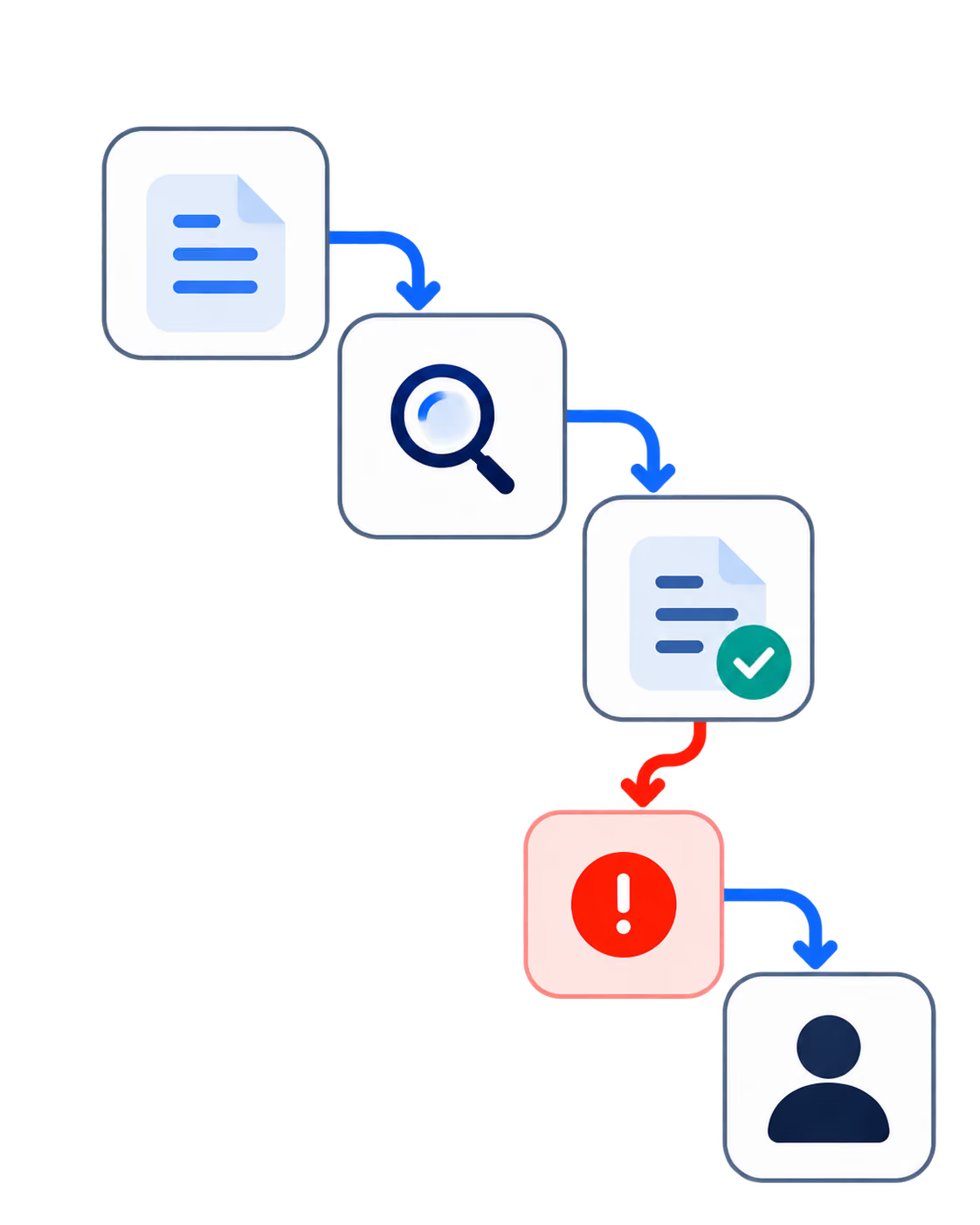
Launching a product is one of the most exciting milestones for any startup, but it’s also one of the riskiest. There are millions of examples of buggy apps, crashed servers, and disastrous rollouts that could have been prevented with one thing: quality assurance services.
Startups have no opportunity to sacrifice quality. In fact, without QA, it’s like racing down the highway with no brakes; it’s not a question of if something will go wrong, but when. Smart startups understand that effective QA and testing strategies are not a luxury; they’re a necessity.
In this article, we’ll explore how software QA and testing work, why they’re critical for startups, the best techniques to use, and how to implement scalable QA processes that safeguard your launch and your reputation.

What is Software Quality Assurance (QA) and Software Testing?
At a glance, software quality assurance and software testing might seem interchangeable. But while they’re closely related, they play different roles in the software development lifecycle.
Software Quality Assurance (QA) is the broader process. It involves defining standards, practices, and procedures to ensure the product meets quality expectations throughout development. QA is proactive; it aims to prevent bugs before they happen.
Software Testing, on the other hand, is a subset of QA. It’s the hands-on activity of checking for bugs, verifying features, and ensuring the software behaves as expected. Testing is reactive; it identifies issues after they’re introduced.
Together, QA and testing form a powerful duo. QA creates the framework for quality; testing enforces it.
Key Differences Between Software Quality Assurance and Software Testing
Let’s break down the key differences between the two using a simple comparison:
- Focus:
- Quality Assurance (QA) is focused on improving and monitoring the development process.
- Software Testing is focused on verifying that the software functions as expected.
- Timing:
- QA is implemented throughout the entire software development lifecycle.
- Testing is typically performed after development, during or post-implementation.
- Primary Goal:
- QA aims to prevent defects by establishing and enforcing best practices and standards.
- Testing aims to identify defects in the actual software product.
- Activities Involved:
- QA includes audits, process evaluations, code reviews, and policy enforcement.
- Testing includes writing and executing test cases, reporting bugs, and verifying fixes.
- Ownership:
- QA is often handled by a dedicated QA team responsible for defining quality processes.
- Testing can be performed by QA testers, developers (in unit testing), or automation tools.
These differences show that while software quality assurance and software testing are closely linked, they play distinct roles. One ensures the right processes are in place to prevent issues; the other ensures the final product is ready for users.
QA ensures the right processes are in place; testing ensures the product works as intended.
Why QA and Testing Are Crucial for Startups’ Success
For startups, every decision has a high impact. Skipping QA and testing can lead to:
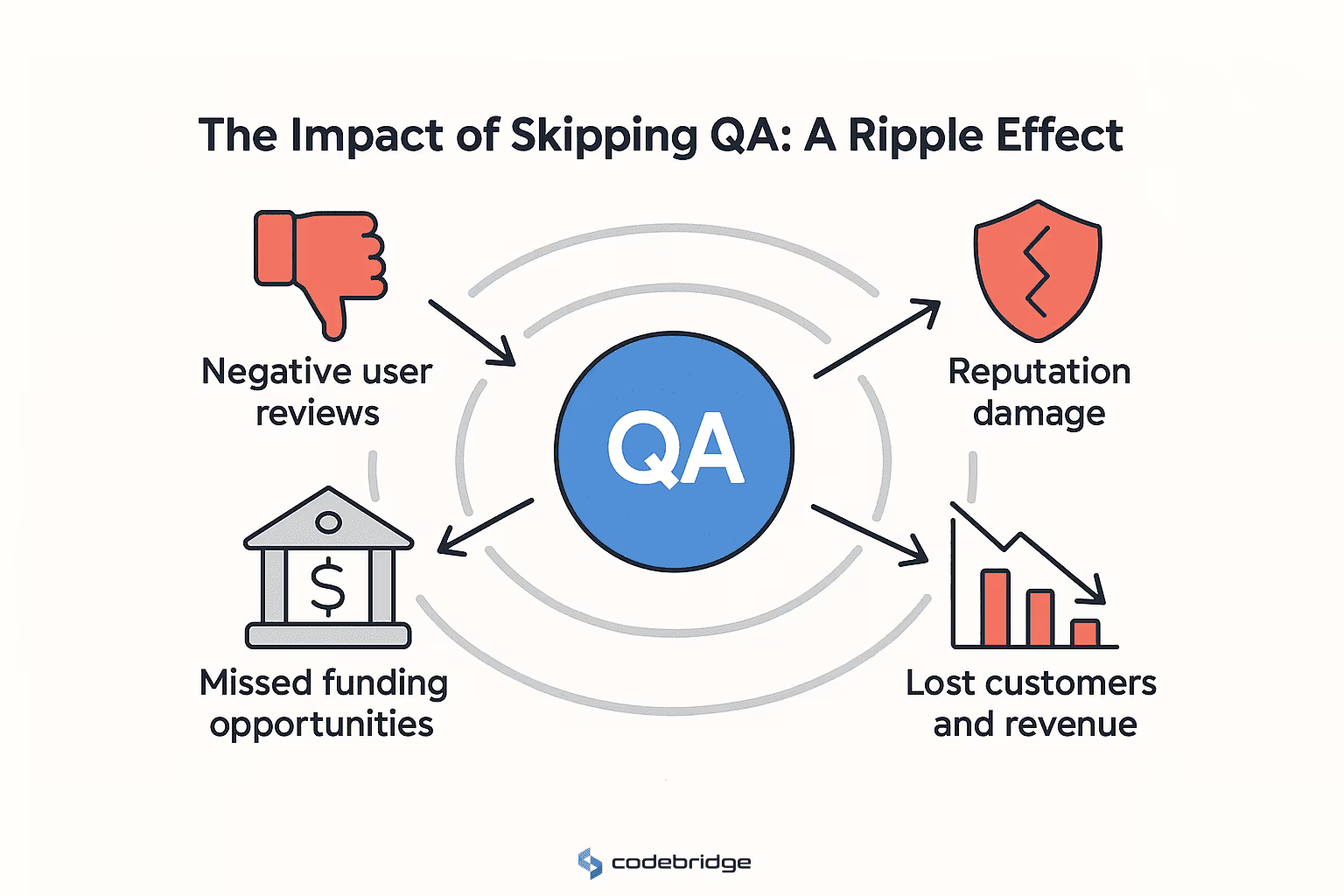
- Negative user reviews
- Missed funding opportunities
- Reputation damage
- Lost customers and revenue
But when done right, startup software testing best practices lead to:
- Early detection of critical issues
- Confident, bug-free launches
- Better user experience and satisfaction
- Streamlined development cycles
Investing in QA isn’t a cost, it’s a growth strategy. For startups, delivering a high-quality product is one of the fastest paths to traction, trust, and success.
The Importance of QA and Software Testing for Startups
It’s tempting for early-stage startups to push quality to the back burner in favor of speed. But without QA, speed becomes meaningless. You can’t scale broken products, and users don’t give second chances.
Software testing for startups is essential not just for functional success, but for survival. Your product is your first impression. If it fails, everything else: marketing, fundraising, and user retention, fails with it.
Reducing Risks and Costs by Testing Early and Often
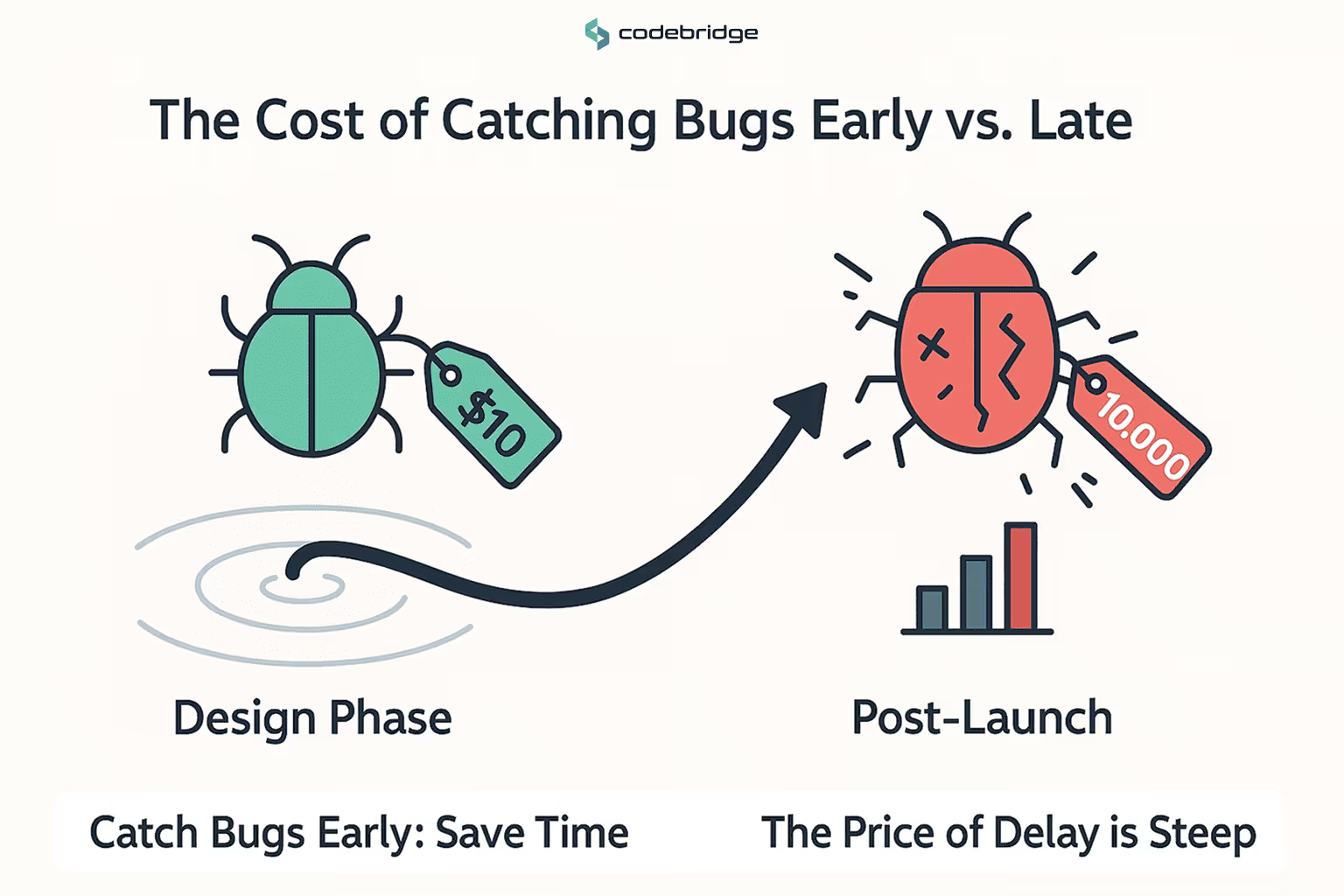
The sooner you catch bugs, the cheaper they are to fix. That’s the golden rule of QA.
According to IBM, fixing a bug during the design phase costs $100. That same bug caught post-launch? Up to $10,000.
Preventing launch failures with QA is about early detection. Startups should:
- Begin testing from day one
- Integrate QA into every sprint
- Use automated testing to accelerate feedback
Continuous testing leads to continuous confidence. It prevents embarrassing bugs from reaching users, and ensures your team stays focused on growth, not fire drills.
Building Customer Confidence Through High-Quality Products
Quality builds trust. Whether you’re courting early adopters or pitching to investors, nothing says “we’re serious” like a product that just works.
Benefits of quality assurance for software products include:
- Reduced churn
- More 5-star reviews
- Increased referrals
- Higher valuation from VCs
In a crowded market, quality isn’t a bonus; it’s your differentiator. Startups that prioritize QA signal maturity, credibility, and readiness for scale.
Key Software Testing Techniques for Startups
For startups, choosing the right software testing techniques is essential to building a reliable product without overextending limited resources. Since startups must often work with lean teams and tight budgets, applying strategic, high-impact testing methods is key to ensuring product stability, security, and scalability.
Functional Testing: Ensuring the Product Does What It’s Supposed To
Functional testing verifies that your software functions correctly according to defined requirements. It checks each feature and ensures it behaves as intended.
For example, if you’re building a login system, functional testing ensures users can log in, log out, reset passwords, and access the right dashboard based on roles.
Startups should integrate functional testing into every sprint, covering:
- User workflows (login, signup, checkout)
- Form validations
- API integrations
- Payment processing
Manual testing is common for early-stage startups, but as complexity grows, automated functional testing becomes essential to catch regressions and speed up releases.
Performance and Load Testing: Handling Traffic and Scalability
Performance testing ensures your app runs smoothly under expected workloads. Load testing pushes it further, simulating traffic spikes to see where it breaks.
Startups often neglect this until it’s too late, when their app crashes under the pressure of a product launch or media exposure.
Early-stage performance testing should include:
- Response time monitoring
- Page load times under varying conditions
- Load tests simulating user spikes
Tools like JMeter, LoadNinja, and k6 are effective options. With software testing for startups, investing early in performance testing helps avoid embarrassing slowdowns and outages during critical growth phases.
Security Testing: Protecting User Data and Ensuring Compliance
Security breaches can destroy a startup's credibility overnight. Security testing identifies vulnerabilities, misconfigurations, and data leaks before hackers do.
Key areas to test:
- Input validation (to prevent SQL injection, XSS)
- Authentication and session management
- Data encryption and storage policies
- Compliance with regulations like GDPR, CCPA, HIPAA (if applicable)
Startups handling sensitive user data like health, finance, or personal information must make security testing a priority. Tools like OWASP ZAP or Burp Suite help automate many common checks.
Good security testing protects not only your product but your brand and legal standing.
How Software Quality Assurance Helps Prevent Costly Launch Failures
Startup launches are make-or-break moments. A great launch can drive traction, funding, and media attention. A bad one can kill momentum and sometimes, the entire business. That’s why preventing launch failures with QA is one of the smartest moves a startup can make.
Identifying Bugs Early: The Cost Savings of Early Detection
Studies consistently show that fixing a bug post-launch is exponentially more expensive than fixing it during development. The further along the bug is discovered, the more resources it takes to resolve.
Effective QA practices help identify:
- Misaligned features vs requirements
- Compatibility issues across browsers/devices
- Integration failures with third-party APIs
By integrating QA early (shift-left testing), startups reduce the likelihood of critical issues surfacing at the worst possible time, after users have seen them.
This also speeds up iteration. Developers get immediate feedback, fix issues quickly, and reduce the backlog. QA saves time and money while improving product quality.
Ensuring Post-Launch Success with Proper Testing and QA
A successful launch isn’t just about launch day; it’s about what happens after. With proper QA processes in place, startups can ensure smooth onboarding, responsive support, and reliable product behavior across environments.
QA processes for startups post-launch include:
- Regression testing before every update
- Real-time monitoring for bugs and crashes
- User feedback integration into QA backlogs
- Automated testing pipelines for consistent delivery
This reduces churn, increases user satisfaction, and builds a foundation of trust. With solid QA, you not only launch confidently, you grow sustainably.
QA and Testing Best Practices for Startups
Building a product users love means building it right, from the beginning. Implementing QA processes for startups early in the development lifecycle can save startups from major headaches later. Here’s how to embed QA as a core function in your startup from day one.
Implementing Agile Testing and Continuous Integration
Startups thrive on agility, and your QA process should reflect that. Agile testing integrates QA throughout the entire development process, not just at the end. This means testers and developers work side by side, testing continuously with every feature update.
Best practices include:
- Test every sprint: Make QA part of your agile ceremonies, daily stand-ups, sprint planning, retrospectives.
- Write test cases as you write code: Don’t leave testing until after coding is complete.
- Use Continuous Integration (CI): Tools like GitHub Actions, Jenkins, and CircleCI help run tests automatically with every code commit.
This ensures bugs are caught early, code quality is consistent, and your team stays aligned.
Agile testing isn’t just efficient, it’s essential for startups that want to move fast without breaking things.
The Role of Automated Testing in Scaling Your Startup’s Product
As your startup grows, manual testing becomes a bottleneck. That’s where automated testing shines.
Automated testing involves using scripts and tools to run repetitive test cases, such as:
- Unit tests: For testing individual components or functions
- Integration tests: For verifying component interactions
- End-to-end tests: For simulating real user behavior
Benefits of automated testing:
- Faster feedback for developers
- Consistent, repeatable testing
- Easier regression testing for each update
For early-stage startups, tools like Selenium, Cypress, and Playwright offer cost-effective automation that scales as your product does.
Automated testing allows small teams to maintain high quality while growing fast, making it a key strategy for modern software development.
How to Choose the Right QA Tools and Software Testing Providers for Your Startup
Not all startups can afford a full in-house QA team and that’s okay. With the right mix of tools, frameworks, and external partners, even small teams can build a world-class QA process.
Choosing the Right Testing Tools for Efficient Product Development
Selecting the right tools depends on your tech stack, budget, and team expertise. Here are a few categories to consider:
- Test Management: TestRail, Zephyr, TestLink
- Bug Tracking: Jira, Bugzilla, ClickUp
- Automation Frameworks: Selenium, Cypress, Playwright, Appium (for mobile)
- CI/CD Tools: GitHub Actions, GitLab CI, CircleCI
Look for tools that:
- Integrate easily with your development environment
- Offer support for your tech stack (e.g., React, Node.js, Flutter)
- Scale with your team and product complexity
The right tools improve team productivity, reduce errors, and provide transparency across stakeholders.
Outsourcing QA Services: When and Why It Makes Sense for Startups
For some startups, outsourcing QA is a smart move. It provides access to experienced testers without the overhead of full-time hires.
Consider outsourcing when:
- You lack in-house QA expertise
- Your product requires cross-device/cross-platform testing
- You’re preparing for a major release and need fast, intensive testing
Outsourcing gives you:
- On-demand scalability
- Broader device/browser coverage
- Lower long-term cost vs. building an in-house team too early
Many software testing for startups providers specialize in agile environments and can become a seamless extension of your development team. Just ensure they align with your workflows, timelines, and communication style.
Final Thoughts: Why QA and Testing Should Be a Top Priority for Your Startup
Every startup wants to scale fast, but few succeed without first building a solid foundation. And at the core of that foundation is software quality assurance and software testing.
QA isn’t about perfection, it’s about consistency, predictability, and user trust. It prevents critical bugs from making it to production, reduces support costs, and increases user satisfaction. In short, it makes everything else, marketing, fundraising, scaling, more successful.
Preventing launch failures with QA should be a top priority. Startups that take quality seriously from day one build better products, earn loyal customers, and create stronger businesses.
Need help putting a QA strategy in place? Let’s talk about building a smarter, more scalable product from the ground up.
FAQ
Why is QA and testing essential for startups before launching a product?
QA and testing are essential for startups because they help identify bugs, performance issues, and usability problems before customers experience them. A strong QA process ensures the product works as intended, protects brand reputation, and increases the chances of a successful launch in a competitive market.
How can early QA testing help startups avoid costly post-launch failures?
Early QA testing allows startups to detect and fix defects during the development stage, when they are significantly cheaper to resolve. By preventing major issues from reaching production, startups avoid expensive hotfixes, downtime, negative user reviews, and potential loss of early adopters.
What QA strategies should startups use to maintain product quality during rapid development?
Startups should combine manual testing, automated testing, and continuous integration practices to maintain high product quality. Implementing clear test cases, regression testing, and quality checkpoints throughout development ensures that new features do not break existing functionality, even when deadlines are tight.
How does automated testing improve reliability and speed for startup product releases?
Automated testing speeds up the QA process by running repetitive tests quickly and consistently. It ensures that every code change is validated, reduces human error, and enables rapid iterations. This allows startups to ship updates faster while maintaining a stable and reliable product.
Why do many startups choose to outsource their QA and testing processes?
Many startups outsource QA because it provides access to experienced testers, specialized tools, and scalable testing resources at a lower cost. Outsourcing also allows internal teams to focus on product development while ensuring that quality assurance is handled by dedicated professionals.
How can continuous testing help startups detect issues earlier and reduce development costs?
Continuous testing integrates QA into the development pipeline, automatically checking code quality with every update. This early detection approach catches defects long before they become major problems, reducing rework, lowering development costs, and accelerating time-to-market.
















Heading 1
Heading 2
Heading 3
Heading 4
Heading 5
Heading 6
Lorem ipsum dolor sit amet, consectetur adipiscing elit, sed do eiusmod tempor incididunt ut labore et dolore magna aliqua. Ut enim ad minim veniam, quis nostrud exercitation ullamco laboris nisi ut aliquip ex ea commodo consequat. Duis aute irure dolor in reprehenderit in voluptate velit esse cillum dolore eu fugiat nulla pariatur.
Block quote
Ordered list
- Item 1
- Item 2
- Item 3
Unordered list
- Item A
- Item B
- Item C
Bold text
Emphasis
Superscript
Subscript